
The following guide compares Google TV vs Android TV vs Fire TV and what type of streaming device you should be using in 2026.

I break down what each platform actually is, how they compare on apps, ads, privacy, and customization, and why our team at TROYPOINT now steers people toward Google TV and Android TV devices instead of Fire TV.
Amazon spent the last year quietly closing its platform off, and the changes coming to new Fire TV Sticks are a big enough deal that they should shape your next purchase.
Google TV vs Android TV vs Fire TV at a Glance
Here is the short version before we get into the weeds.

Android TV is an operating system built by Google. It powers streaming boxes and sticks from NVIDIA, Formuler, Xiaomi, and many smart TVs. The home screen is a row of your installed apps, and you can sideload software, swap launchers, and tinker to your heart’s content.
Google TV is not a separate operating system. It is a newer interface that runs on top of Android TV. Think of Android TV as the engine and Google TV as the dashboard. Same machine underneath, friendlier face on top, with a content-first home screen that pulls recommendations from every service you subscribe to.
Fire TV is Amazon’s platform. Older and current Fire TV Sticks run Fire OS, which is Amazon’s own fork of Android. That base is exactly what let cord-cutters sideload apps for years. The problem is that Amazon is walking away from it, and that single decision changes the math for anyone who values control over their device.
And in terms of device CPU benchmarks, Amazon actually holds the top spot. The Fire TV Cube 3 outruns everything else on this chart, and the SHIELD boxes are the only Android TV hardware that comes close. Raw speed was never the problem with Fire TV, though. What you give up is control over what you can install, and no benchmark score measures that.
Hide Your Digital Fingerprint

Google TV vs Android TV: Are They the Same Thing?
This is the question that trips up the most people, so let’s clear it up first.
No, Google TV and Android TV are not the same thing, but they are closely related. Android TV launched back in 2014 as the underlying operating system. Its home screen is app-centric, meaning you see rows of the software you have installed, plus a few recommendation shelves.
Google TV arrived in 2020 and debuted on the Chromecast with Google TV. It is a launcher and interface layer that sits on top of Android TV. Instead of leading with your apps, it leads with content. The home screen aggregates movies and shows across your subscriptions and surfaces a personalized “For You” feed.

A few features only show up on the Google TV interface:
- Watchlist: Save a title from your phone or browser and it appears on your TV, ready to play.
- User profiles: Each person gets their own recommendations and watch history, with kid profiles managed through Google Family Link.
- Live TV tab: Pulls in channels from services like YouTube TV and Sling into one guide.
- Freeplay: Free, ad-supported streaming built right into the home screen.
Both share Chromecast built-in and Google Assistant, so the practical day-to-day difference comes down to how the home screen is organized. If a device says “Google TV” on the box, it is still Android TV underneath, which means you keep the same sideloading and customization options you would expect from any Android TV device.
Is Android TV Being Replaced by Google TV?
Not exactly, and the distinction matters when you are shopping. Google TV is the interface Google now ships on new hardware, but Android TV remains the operating system running underneath it. Android TV also continues on plenty of current devices, including the NVIDIA SHIELD and most Formuler boxes.
So Android TV is not going away. The name you see on the box is telling you which home screen you get, not which platform you are buying into.

Google TV vs Fire TV: Operating System and Interface
Here is where the three platforms split apart.
Fire TV
Fire OS is Amazon’s modified version of Android. On paper that sounds open, and for a long time it was permissive enough that the Downloader app and sideloaded APKs worked fine.
The catch is the home screen. Amazon fills it with sponsored content, Prime Video rows, and ad banners that take up the top third of your display. Your own apps get pushed down and tucked into a smaller strip. The interface is built to sell you something, not to get you to your content quickly.
Exclusive Surfshark Discount
Warning: Your online activity is currently monitored by your ISP, app/addon/IPTV developers, government agencies, and the websites you visit.
- Become 100% anonymous while streaming and downloading.
- Use on Unlimited Devices & share 1 account with the entire family.
- Save 87% with the 24-Month Plan + Get 3 FREE Months.

Android TV and Google TV
The Android TV interface keeps things simple with a clean row of apps. The Google TV interface adds the content-first layout described above. Neither one buries your software under a wall of ads the way Fire TV does, and both let you rearrange the home screen to fit how you actually watch. You also get full access to the Google Play Store, which carries far more apps than Amazon’s Appstore.
If you want to go a step further and add software that is not in the Play Store, our guide on how to jailbreak Google TV walks through enabling developer options and sideloading with the Downloader tool.
The Sideloading Question Changes Everything in 2026
Sideloading is the ability to install an app that is not in the official store. For cord-cutters, it is the whole ballgame. It is how you add free streaming apps, IPTV players, and tools that the big stores will not carry.
Both Amazon and Google made major moves here this year, but they are not the same kind of move, and the gap between them is the single biggest reason to pick a side.
Amazon Is Killing Sideloading on New Fire TV Sticks
Amazon confirmed that all future Fire TV Sticks will run a brand-new platform called Vega OS instead of Fire OS, a move we covered when Amazon officially killed sideloading on future Fire TV Sticks. In its own developer documentation, Amazon stated, “Starting with Fire TV Stick 4K Select, all future Fire TV Sticks will run on Vega.”
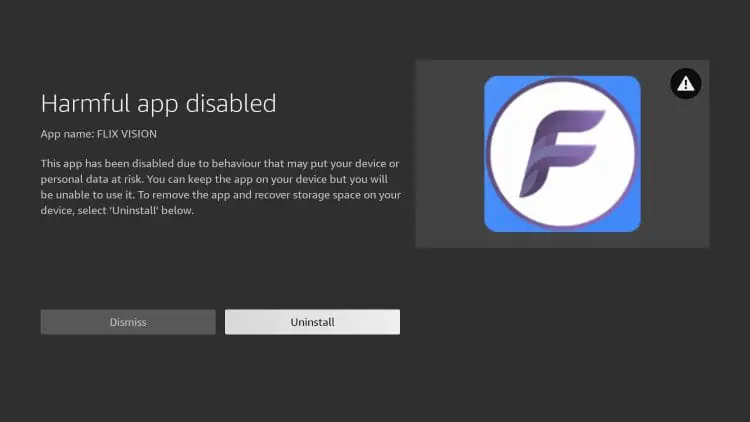
Vega is not Android. It is a Linux-based system Amazon built from scratch, and Amazon’s own Vega developer docs confirm that apps use a new .vpkg format, so existing .apk files simply will not run. No APKs, no Downloader, no sideloading for regular users. The only software you can install is what Amazon approves for its own store, which is a much smaller catalog than Google Play.
The Fire TV Stick 4K Select and the Fire TV Stick HD already ship with Vega, and as AFTVnews put it, sideloading is “truly dead” on these models. Only the 4K Plus and 4K Max still run Android underneath, so if you are buying Fire TV anyway, those are the sole models worth grabbing before they disappear.
Is Amazon Discontinuing the Fire TV Stick?
No, and this is worth stating plainly because the question comes up constantly. Amazon is not killing off the Fire TV Stick. It is replacing what runs inside it.
New sticks keep the Fire TV name and the same shape, but they boot Vega instead of Fire OS. If you are wondering what is replacing your Firestick, the honest answer is that the hardware stays and the openness leaves.
Google Is Adding Friction, Not a Wall
Google made its own changes, and we are not going to pretend they are nothing. The company is rolling out a developer verification system and a 24-hour delay before an unverified app finishes installing, laid out in Google’s own verification documentation. Developers must register, verify their identity with a government ID, and pay a one-time $25 fee, though a free tier still allows limited distribution to 20 devices.
This sideloading crackdown moves into enforcement on September 30, 2026 in Brazil, Indonesia, Singapore, and Thailand, with a global rollout planned for 2027.
That is a real annoyance. A coalition of 71 organizations from 23 countries, including the Electronic Frontier Foundation and F-Droid, pushed back with an open letter opposing the policy.
Big Tech is Scanning Your Emails
Stop letting free providers read your private messages to build advertising profiles on you. Take back your digital privacy with a secure, ad-free inbox.
But notice the difference. Google is adding a speed bump. Amazon is building a wall. On Android TV and Google TV, sideloading still works, especially on non-certified boxes that fall outside the rules entirely. On new Fire TV hardware, it is simply gone.

The Downsides of Google TV
We recommend Google TV, so let’s be straight about where it falls short.
Ads are creeping onto the Google TV home screen too. Sponsored rows and promoted titles now sit alongside your recommendations, and while it is nowhere near Amazon’s billboard approach, the direction of travel is the same. Freeplay is ad-supported by design.
The verification push above is a genuine mark against Google, not a footnote. It makes installing unverified software slower and more annoying, and there is no guarantee the policy stops where it is today.
Google also collects plenty of data. If you want a platform that harvests nothing, neither of these companies is your answer.
Finally, the interface can feel busy. If you just want your apps in a row without a content feed pushing recommendations at you, plain Android TV is the better fit, which is exactly why we still point some readers there.
Ads, Lawsuits, and the Roku Playbook
The sideloading shift is not happening in a vacuum. It fits a pattern worth understanding before you spend money.
Fire TV leans harder on advertising than its rivals, and Amazon keeps finding new places to put promos. That approach did not appear from nowhere. Roku built a business on treating your television as an advertising delivery system, from pause ads to patents for inserting spots over HDMI inputs, and Roku’s success shows everything wrong with streaming today.
Roku cleared $1.11 billion in total revenue in a single quarter running that playbook, and that number sent a message to every competitor: lock the platform down, fill it with ads, monetize the viewer.
Amazon appears to be reading from the same script. Closing off sideloading is step one in turning a streaming stick into something you do not fully control.
Two Lawsuits in One Year
Amazon spent 2026 fielding legal complaints from its own customers. Both suits are pending, and neither has produced a ruling.
One lawsuit alleges that Amazon ended software support for older Fire TV Stick models and slowed them to a crawl, with owners of first and second generation sticks reporting sluggish menus, apps that take forever to load, and constant buffering.
The complaint claims this was meant to push people toward buying newer hardware. Amazon denies wrongdoing and says updates improve security and compatibility.
A second lawsuit accuses Amazon of spying on Fire TV users, collecting viewing history, app usage, search activity, and device identifiers, then using it for advertising without proper disclosure.
The filing puts it bluntly, alleging that “Amazon knows every video you watch, which parts of those videos you watch, which parts you rewind, and every word you hear.”
Privacy and VPN Compatibility
Privacy controls exist on all three platforms, but the philosophy differs. Amazon’s business runs on advertising and retail data, and the spying suit shows where that can lead.
Google collects data too, so neither company is a saint, but Android TV and Google TV give you more granular control over ad tracking and app permissions.
Whatever device you choose, a VPN is the smarter way to protect your privacy while streaming. It hides your IP address and encrypts your traffic so your internet provider cannot log what you watch.
VPNs install cleanly on Android TV and Google TV through the Play Store, and you can still install a VPN on your Fire TV Stick today, though Vega will narrow even that on future hardware.

Best Devices for Each Platform
If you have decided which way to go, here are the devices our team recommends.
Google TV and Android TV Devices We Recommend
For most people, a Google TV or Android TV box hits the sweet spot of price, performance, and freedom.
- Onn 4K Pro: Around $60 at Walmart, with 32GB storage, 3GB RAM, WiFi 6, and an Ethernet port. The best budget Google TV pick.
- Google TV Streamer (4K): $99.99 from the Google Store, with 32GB storage, 4GB RAM, Gigabit Ethernet, and Dolby Atmos. The flagship experience.
- NVIDIA SHIELD Pro: $199.99 from NVIDIA. The hardware dates to 2019 and it is showing its age on paper, but the AI upscaling and Plex support keep it popular with Android TV power users.
- Formuler Z12 Ultra: 128GB storage and a built-in IPTV app, which makes it a favorite among live TV fans.
For the full rundown, see our guide to the best Android TV boxes.

Fire TV Devices (If You Still Want One)
If you are committed to Amazon, buy the last Android-based models while you can. The Fire TV Stick 4K Max ($59.99) and Fire TV Stick 4K Plus still support sideloading.
Skip the newer Vega-based sticks if app freedom matters to you. Our full list lives in the best Fire TV devices guide.

Final Thoughts from Troy
The choice used to be close. Fire TV had aggressive sales and decent hardware, and the Android base meant you could still tinker. The moment Amazon decided new sticks would run Vega OS and drop sideloading entirely, that changed.
For the open experience cord-cutters actually want, Google TV and Android TV win. Pick a Google TV device for a polished, content-first interface that surfaces what to watch across your apps. Go with plain Android TV for a simple app-row layout and maximum control. Either way you keep sideloading, the larger Play Store, and a home screen that is not stuffed with ads.
Google’s verification push deserves scrutiny, no question. But a speed bump is not a wall, and the freedom to install what you want and avoid a platform built to monetize your attention is worth a lot. For 2026 and beyond, that is where we are pointing people.
Which streaming platform are you using right now, and would the Vega OS change push you away from Fire TV? Let us know in the comments below.
This page includes affiliate links where TROYPOINT may receive a commission at no extra cost to you. Many times, visitors will receive a discount due to the special arrangements made for our fans. Learn more on my Affiliate Disclaimer page.


