

What is a VPN or Virtual Private Network? What is the Best VPN?
These are frequently asked questions that we here at TROYPOINT receive on a regular basis.
The following guide will help you understand what a VPN is, how a VPN works, why you should be using one, and the best VPNs available.
We provide our top-rated VPN Services after thorough testing of various providers.
TROYPOINT’s Top Rated VPN Services
We have tested dozens of VPN Services throughout the years trying to find the best option for our readers and subscribers.
While all VPN Services essentially serve the same purpose, not all VPNs are created equal.
After thorough testing for various features including price, speed, servers, connections, Real-Debrid compatibility, and more, we have selected our top 5 recommended VPN Services.
Many of our site visitors use a VPN for Firestick, which is why we used this device among others to determine the best options.
Hide Your Digital Fingerprint
1. Surfshark
Surfshark VPN is now our top-rated provider in the TROYPOINT VPN Rankings.
There are tons of factors that we describe below which make this the best VPN option available today.
Price: $2.30/month for 2 years (Click Here for Discount)
*Price subject to change
Our special Surfshark discount will save you over 80% on a two-year plan.
They also offer a 30-day money-back guarantee if you are unsatisfied with the service for any reason.
Use the link below to get Surfshark VPN at a special discounted rate.
Get Surfshark with TROYPOINT Discount
Speed:
Exclusive Surfshark Discount
Warning: Your online activity is currently monitored by your ISP, app/addon/IPTV developers, government agencies, and the websites you visit.
- Become 100% anonymous while streaming and downloading.
- Use on Unlimited Devices & share 1 account with the entire family.
- Save 87% with the 24-Month Plan + Get 3 FREE Months.
After testing Surfshark VPN on a Fire TV Stick 4K Max, we received the following speeds using WireGuard Protocol via Wi-Fi Connection.

Servers:
Surfshark VPN provides over 3,200 Servers in 65 Countries.
Some locations available include:
- United States
- United Kingdom
- Sweden
- Switzerland
- Russia
- Germany
- France
- India
- Brazil
- and more
Connections:
Just like IPVanish, Surfshark VPN provides UNLIMITED device connections simultaneously for complete anonymity and privacy.
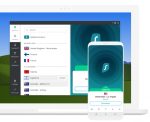
This is a key factor in determining your preferred VPN Service to ensure you are always protected.
Kill Switch:
One of the best features Surfshark provides is the Kill Switch option on Firestick & Fire TV. While many other VPN Services offer this technology, most aren’t available for these streaming devices.
Big Tech is Scanning Your Emails
Stop letting free providers read your private messages to build advertising profiles on you. Take back your digital privacy with a secure, ad-free inbox.
However, the Surfshark App on Firestick has a native Kill Switch feature that works fabulously.
No Log Policy:
Surfshark has a strict no-log policy which means they do not store or save any data while connected to one of their VPN Servers.
Surfshark is based in the Netherlands where local laws do not force VPN providers to store user logs.
Real-Debrid:
Many people ask if Surfshark works with Real-Debrid and the answer is Yes!
While they are listed as a non-cooperative VPN on the Real-Debrid official site, over 3,000 Surfshark IP Addresses are fully compatible with Real-Debrid for streaming high-quality media files.
Surfshark Resources:
- Surfshark VPN Discount
- Surfshark VPN Complete Review
- Install Surfshark on Firestick/Android
- Does Surfshark Work with Netflix?
- Surfshark vs IPVanish

2. IPVanish
IPVanish is TROYPOINT’s #2 recommended VPN provider for several reasons mentioned below.
It has an easy-to-install application available for any device you prefer including Firestick, Fire TV, iOS, Android, and more.
Price: $3.99/month for 1 year (Click Here for Discount)
*Price subject to change
Our special IPVanish discount will save you over 60% when you purchase a yearly subscription.
They also offer a 30-day money-back guarantee if you are unsatisfied with the service for any reason.
Get IPVanish with TROYPOINT Discount
Speed:
After testing IPVanish on a Fire TV Stick 4K Max we received the following speeds using the OpenVPN Protocol via Wi-Fi Connection.

With an ethernet connection using the same VPN Server and Protocol, our speeds were a bit faster.

Servers:
IPVanish owns and operates over 2,000 servers in more than 75 VPN locations.
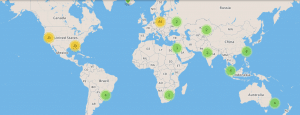
This includes:
- United States
- United Kingdom
- Japan
- Mexico
- Canada
- Australia
- and more
Connections:
IPVanish supports UNLIMITED VPN connections simultaneously with one account. This means all of your internet-connected devices are protected without having to purchase a separate subscription.
Kill Switch:
IPVanish VPN has kill switch capabilities that will cut your internet connection if your VPN connection ever drops. This is perfect for those downloading torrents.
No Log Policy:
IPVanish provides a strict no-log retention policy which means your data is not saved or stored for any reason.

Real-Debrid:
Real-Debrid is used by thousands of cord-cutters to provide high-quality streaming links.
IPVanish is on Real-Debrid’s Cooperative VPN Providers list so you can confidently use this service with your IPVanish VPN.
IPVanish Resources:

3. NordVPN
NordVPN is likely the most recognizable VPN Service available today.
Many choose NordVPN because it claims to be the fastest VPN Provider on the market. This is due to its massive fleet of servers available across the globe.
Price: $3.29/month for 2 years (Click Here for Discount)
*Price subject to change
Our special NordVPN discount will save you over 60% when purchasing the 2-year plan.
Best of all, there is a 30-day money-back guarantee if you don’t like the service for any reason.
Get NordVPN with TROYPOINT Discount
Speed:
We tested NordVPN’s speeds using a Fire TV Stick 4K Max with OpenVPN Protocol via Wi-Fi and received the following results:

Servers:
NordVPN features over 5,400 servers in 60 countries around the world.

Best of all, NordVPN uses obfuscated servers which means websites and ISPs are unable to tell that you are connected to a VPN tunnel. This helps bypass strict VPN blockades.
Some locations available include:
- United States
- United Kingdom
- New Zealand
- Brazil
- Mexico
- Germany
- Costa Rica
- Sweden
- Switzerland
- and more
Connections:
Unlike IPVanish and Surfshark which provide unlimited connections, NordVPN currently offers 6 simultaneous VPN connections.
Because most households have 10 or more internet-connected devices at any given time, we would like to see this number grow in the future.
Kill Switch:
NordVPN has a Kill Switch feature that works seamlessly on desktop devices like Windows and Mac.

Unfortunately, this native option is not currently available on their Firestick or Android TV applications.
No Log Policy:
NordVPN, like many other premium VPN providers, enforces a strict no-log policy which means your data is not stored when connected to their servers.

Since NordVPN is incorporated in Panama, they are completely outside of the “Five Eyes” intelligence alliances and have no data retention laws to adhere to.
Real-Debrid:
NordVPN is listed as a Cooperative VPN Provider by Real-Debrid, meaning you can stream cached torrents securely without IP blocks.
NordVPN Resources:

4. ExpressVPN
ExpressVPN is a premium VPN provider that is highly regarded among streamers and cord-cutters.
It provides extremely fast speeds and features custom-built apps for nearly any device including Firestick, Android, Windows, iOS, and custom routers.
Price: $6.67/month for 12 months (Click Here for 3 Months Free)
*Price subject to change
ExpressVPN is offering 3 months absolutely FREE when you sign up for a 12-month subscription. This is 49% off the regular price.
Express also offers a hassle-free 30-day money-back guarantee.
Get ExpressVPN with TROYPOINT Discount
Speed:
We tested speeds for ExpressVPN on a Fire TV Stick 4K Max using a Wi-Fi connection and received the following results:

Servers:
Express offers 160 VPN Server Locations spanning 94 countries.

Some locations available include:
- United States
- Brazil
- United Kingdom
- Colombia
- Costa Rica
- Argentina
- Canada
- Chile
- Peru
- and more
Connections:
ExpressVPN currently caps users at 5 simultaneous connections.

Similar to NordVPN, we would prefer this number to be higher. If you need more than 5 simultaneous connections, you may want to opt for Surfshark or IPVanish.
Kill Switch:
Network Lock is the proprietary Kill Switch feature provided by ExpressVPN.
When using Network Lock, your internet connection will instantly terminate if the VPN tunnel drops. This is available on Windows, Mac, and Linux. Firestick devices have a “Network Protection” feature that works in the exact same manner.
No Log Policy:
Express does not log IP Addresses, browsing history, traffic destinations, or DNS queries.

However, for server maintenance, they do collect anonymous diagnostic data such as apps successfully activated, dates connected, choice of server, and the total amount of MB transferred per day.
Real-Debrid:
Like most top-tier VPN Services, Express is listed as a Cooperative VPN Provider by Real-Debrid.
ExpressVPN Resources:

5. StrongVPN
StrongVPN is most well-known for its early implementation of the WireGuard® protocol.
They were the first commercial VPN provider to adopt WireGuard, which features significant speed and security advantages over traditional OpenVPN connections.
Price: $2.47/month for 1 year (Click Here for Discount)
*Price subject to change
This promotion will save you over $100 when you purchase an annual subscription.
There is also a 30-day money-back guarantee if you are not satisfied with StrongVPN.
Get StrongVPN with TROYPOINT Discount
Speed:
Below are the speeds we received on a Fire TV Stick 4K Max when using the WireGuard® Protocol via Wi-Fi connection.

Servers:
StrongVPN provides 950+ VPN Server connection options in over 30 countries.
This includes areas such as:
- United States
- United Kingdom
- Canada
- Germany
- China
- Japan
- Australia
- Mexico
- and more
Connections:
StrongVPN provides up to 12 simultaneous connections for your internet-connected devices.

Kill Switch:
Kill Switch capabilities are available with StrongVPN on desktop operating systems. This does not currently include Firestick or Android TV devices, however, the PC feature is handy when torrenting.
No Log Policy:
Like many popular VPN Providers, Strong has a strict zero-log retention policy for all subscribers.
Strong fully owns and operates its servers rather than renting them, ensuring your data pipeline remains entirely private.
Real-Debrid:
StrongVPN is fully compatible and listed as a Cooperative VPN Provider by Real-Debrid.
StrongVPN Resources:
TROYPOINT VPN Tutorials
In addition to guides for our top recommended VPN services, TROYPOINT has created several other VPN tutorials for popular devices.
This includes the Amazon Firestick/Fire TV, NVIDIA Shield, Chromecast, Android TV Boxes, routers, Windows PC, Mac, iOS, LibreELEC, and more.
VPN on Firestick/Fire TV
Installing a VPN on any Amazon Firestick or Fire TV device is essential when it comes to protecting yourself while streaming unverified applications.

Running a VPN on a Fire TV device will protect you online from hackers, developers, ISP throttling, and other bad actors.
How to Install VPN on Firestick/Fire TV
VPN on Android TV Boxes
Similar to the Amazon Firestick, using a VPN on Android TV Boxes is critical for protecting your online identity.

Our VPN tutorial for Android TV Boxes works identically on popular devices such as MECOOL, X96 Max, BuzzTV, Mi Box, and even Android phones and tablets.
How to Install VPN on Android TV Boxes
VPN on NVIDIA Shield
The NVIDIA Shield is one of the most powerful streaming devices on the market. Due to its advanced gaming and streaming capabilities, it’s important to keep your network secure.

Our VPN tutorial for the NVIDIA Shield works across all models. Click the link below for step-by-step instructions.
How to Install VPN on NVIDIA Shield
VPN on Chromecast with Google TV
The Chromecast with Google TV has become an increasingly popular streaming device among cord-cutters. Like other generic Android hardware, it’s critical you encrypt your connection.

See our complete tutorial below for sideloading and installing a VPN on the Chromecast.
How to Install VPN on Chromecast with Google TV
VPN on Windows PC
Running a VPN on a Windows PC is mandatory for those using their desktop to download torrents, access geo-blocked websites, or handle sensitive financial data.

Our Windows guide covers everything you need to know about setting up Kill Switches and WireGuard protocols on PC.
How to Install VPN on Windows PC
VPN on Routers
Installing a VPN directly on your router protects all internet-connected devices inside your household automatically. This creates an invisible shield of 100% anonymity for your entire network.

When you flash a VPN to a router, you no longer need to install the provider’s application on each individual device.
Important Note: Installing a VPN on a router is the only way to protect closed-ecosystem devices where it isn’t possible to install a native VPN application, such as Roku, Xbox One, Apple TV, or PlayStation.
How to Install & Setup VPN on Router

TROYPOINT TIP: For those using Asus routers with custom Asus-Merlin firmware, the installation process is different. See the specific link below if you fall into this category.
How to Install VPN on Asus-Merlin Router
VPN on Mac
Similar to Windows, running a VPN on a macOS computer is necessary if you are torrenting or bypassing network censorship.

Visit our complete tutorial below for installing a VPN on any Mac computer.
VPN on iOS (iPhone & iPad)
Due to increasing cellular tracking and public Wi-Fi risks, using a VPN on iOS devices like iPhones and iPads is highly recommended.

We have put together a detailed tutorial below for installing a VPN on any iOS device.
How to Install VPN on iOS Devices
VPN on LibreELEC
While LibreELEC is not a standalone streaming device, this popular software is a fork of Kodi based on the Linux operating system. Many cord-cutters use LibreELEC with a Raspberry Pi setup.

Since LibreELEC is Linux-based, you can easily deploy an OpenVPN profile to protect yourself while streaming.
How to Install VPN on LibreELEC
VPN on Chromebook
Many people have turned to Google Chromebooks due to their simplicity and affordable price tags. Like any web browser, protecting your Chrome OS traffic is paramount.

See the link below for installing a VPN extension or Android app on a Chromebook.
How to Install VPN on Chromebook
What is a VPN?

A VPN (Virtual Private Network) allows you to access the internet privately and securely by creating an encrypted tunnel between your device and a remote server.
In technical terms, a VPN encrypts your network connection so that any packet of data transmitted from your Firestick, Android Box, or computer is completely unreadable to outside observers.
Your traffic is routed through a VPN server, and your external IP address is masked with a new one, rendering your activity 100% anonymous.
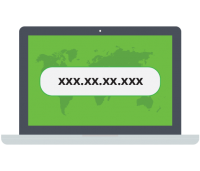
Most internet users don’t realize that their Internet Service Provider (ISP) assigns a highly trackable external IP address to their account. You can think of an IP address as a unique phone number for your internet connection. All of your online activity ties directly back to YOU through this IP address.
75.84.126.52
Your real IP Address (shown above) will be instantly masked with a different anonymous number the second you activate a VPN.

By using a VPN, your Internet Service Provider, app developers, government agencies, and hackers will no longer be able to monitor or log what you are streaming or downloading.
If you use public Wi-Fi networks at hotels or airports, or tend to work remotely, the use of a VPN is crucial to prevent data interception.
Plus, using a VPN enables you to alter your “geo-location” and access apps, websites, and streaming libraries that are otherwise blocked in your physical country.
How Does a VPN Work?
Before discussing the mechanics of a VPN, it is necessary to realize why connecting to the internet “naked” ruins your privacy.
If you’re stuck at the airport waiting for your flight, or working at a local coffee shop, chances are you’ll connect to the public Wi-Fi to save on cellular data.

When accessing public hotspots, your data passes through an unencrypted network. Everything from entering passwords to checking your bank account becomes vulnerable to hackers snooping on the network.
This threat is called a Man-in-the-Middle (MitM) attack. The attacker intercepts your communication with a website or app to pry on your activity or steal your credentials.

You are also exposed to malware distribution and rogue hotspots set up by cybercriminals. By not using a VPN, your device is vulnerable to web application attacks.
A VPN completely eliminates these risks through three steps:
1. Encryption: First, your internet connection is encrypted at the device level. All searches and activity are scrambled into ciphertext, hiding it from onlookers.
2. IP Masking: Next, your IP address changes once connected to the VPN server. The VPN masks your true location, making it impossible for websites to trace your physical address.

3. Secure Tunneling: Finally, the VPN tunnels your information through a separate, secure network infrastructure, securing your data from end-to-end.
For more information on bypassing geo-restrictions, refer to our comparison article below:
Smart DNS vs VPN – What’s the Better Option to Protect Your Privacy?
Why Should I Use a VPN?
Using a VPN is the best way to ensure your privacy online no matter what device you are using. Here are 10 core reasons why everyone needs a VPN.
1. Hide Your IP Address
The primary function of a VPN is to hide your computer’s IP address. By routing your connection through an external server, your true location becomes unknown.
For example, if you are traveling on business in a country with strict internet censorship, you can connect to a VPN server in Canada and browse the internet exactly as if you were sitting in Toronto.
2. True Online Anonymity
Using an “Incognito” browser tab does not make you anonymous—it only stops your browser from saving local history. Your ISP still sees everything.

A VPN makes your original IP address vanish from the prying eyes of the public, ensuring your passwords and personal data cannot be traced back to your home network.
3. Use 3rd Party Streaming Services
For those interested in using Kodi, APKs, IPTV, or Torrents, a VPN is absolutely mandatory. Many ISPs actively block the domains these streaming services rely on.
With a VPN running, your ISP cannot see what servers you are pinging, allowing you to bypass these application blocks seamlessly.
4. Prevent ISP DPI Throttling
Most ISPs actively monitor and control your bandwidth. If they detect high-bandwidth streaming or IPTV traffic through Deep Packet Inspection (DPI), they will intentionally throttle your speeds, resulting in constant buffering.
With a VPN in place, your activity is encrypted. Because the ISP cannot categorize the traffic, they cannot throttle your streams.
5. Block Ads & Trackers
Premium VPNs provide added security features like DNS-level ad blocking. Services like Surfshark’s CleanWeb intercept and block trackers, aggressive pop-ups, and malware distribution domains before they ever reach your device.
6. Prevent ISPs from Keeping Logs
Internet Service Providers log your browsing history and sell that demographic data to third parties. A “no-log” VPN encrypts your traffic so the ISP has no data to record.
7. Secure Torrenting (P2P)
Torrenting exposes your IP address to every other peer in the swarm. Copyright trolls monitor these swarms and send infringement letters to exposed IP addresses.

Running a VPN masks your IP address so you remain anonymous while downloading. See our Best VPN For Torrenting guide for providers that include SOCKS5 proxies.
8. Use Public Wi-Fi Securely
Connecting to open Wi-Fi networks at airports or cafes is incredibly dangerous. A VPN secures your connection, ensuring hackers sharing the network cannot sniff your unencrypted packets.

9. Secure VoIP Calls
Voice-over-IP (VoIP) services like Skype, WhatsApp, and Zoom can be intercepted. Securing your VoIP traffic with a VPN guarantees the utmost privacy for sensitive business calls.
10. Prevent Google Tracking
Google’s services relentlessly track your searches, location data, and online habits. Hiding your IP address with a VPN breaks the physical location tracking associated with your profile.
Are VPNs Legal?
There are a few countries that have deemed VPNs to be illegal. However, a VPN is completely legal in the United States, Canada, and the United Kingdom.
Some notable countries where VPN usage is heavily restricted or illegal include China, Russia, Belarus, Oman, United Arab Emirates, Turkey, and Iraq.
Latest Legal News in the Streaming World
The articles listed below cover the latest legal crackdowns in the world of cord-cutting, serving as a reminder to always connect to your VPN while streaming.
- YTS Torrent Site Handing Over User Data to Authorities
- US Lawmakers Push to Criminalize Streaming Copyrighted Works
- NordVPN Hacked! – Finding the Best VPN Alternative
Should I Use a Free or Paid VPN?

STAY AWAY FROM FREE VPNs.
When examining free VPN apps on the Google Play or Amazon App Store, always remember that these providers are making money somewhere. Running global server fleets costs millions of dollars.
If they aren’t charging you a subscription, they are profiting by harvesting your browsing data and selling it to third-party ad networks, or worse, bundling background malware into the app.
In summary, almost all free VPN services:
- Sell your browsing data and inject targeted ads
- Suffer from incredibly slow download speeds
- Cap your monthly data usage
- Provide zero customer support
- Offer very few server locations
- Lack compatibility with Fire TV devices
A premium VPN costs less than a cup of coffee per month. I’ve thoroughly discussed the dangers of free services in my dedicated article: Why You Can’t Trust A Free VPN.
What Should I Look For In a VPN?

When choosing a reliable VPN service provider, you should verify the following criteria:
- Native applications for Firestick, Android TV, and PC
- Thousands of servers in global locations
- Audited strict zero-logs policy
- Fast WireGuard® protocol speeds
- Unlimited simultaneous device connections
- P2P Torrenting support
- Integrated Kill Switch
- 24/7 live chat customer support
- 30-day money-back guarantee
The most important features for cord-cutters are download speed and Fire TV app usability. The recommended VPNs outlined at the top of this page deliver blazing-fast throughput for 4K streaming alongside excellent, remote-friendly user interfaces.
Other Questions About VPNs
1. Does a VPN Decrease Internet Speed?
Yes, connecting to a VPN naturally decreases your top internet speed due to the cryptographic processing required to encrypt your data, and the physical distance your traffic must travel to reach the proxy server.
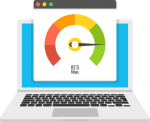
However, premium VPNs using the WireGuard protocol minimize this speed loss. Check out my guide on How To Improve VPN Speed for troubleshooting buffering.
2. How Many Devices can a VPN Support?
This depends entirely on the provider. Surfshark and IPVanish offer unlimited simultaneous connections, while NordVPN caps accounts at 6, and ExpressVPN at 5.
3. How Safe is Using a VPN?

A premium VPN utilizing military-grade 256-bit AES encryption is incredibly safe. As long as the provider adheres to a strict zero-logs policy, your data cannot be intercepted or subpoenaed.
4. Why Does a VPN Need Many Servers?
If a VPN provider only operates a few servers, those servers become overcrowded with users, resulting in network bottlenecks and drastically reduced speeds.

A massive global fleet ensures you can always find a low-latency server nearby, which is especially useful when attempting to bypass geo-blocks in specific regions.
5. Is YouTube Blocked Because of Location?

Yes. Depending on your location, YouTube can be completely blocked by government firewalls (such as in China), or specific videos may display a “This video is not available in your country” error due to licensing rights. You can easily unblock YouTube by connecting to a US-based VPN server.
6. Why Do You Need a VPN for Torrenting?

A VPN masks your IP address within the public torrent swarm. Without a VPN, your ISP and copyright trolls can see exactly what files your IP address is downloading.
7. How Can You Bypass Restrictions on the Amazon App Store?
Many popular third-party streaming apps are not permitted in the official Amazon App Store. You must side-load them using the Downloader app. Because these apps are unverified, using a VPN while running them is crucial for your privacy.
Frequently Asked Questions
What is a VPN and why do I need it?
A Virtual Private Network (VPN) is a service that creates a secure, encrypted tunnel for your internet traffic. You need a VPN on all your devices to hide your IP address, stop ISP tracking, and remain completely anonymous online.
What are the Best VPNs?
After rigorously testing dozens of the most popular providers, the experts at TROYPOINT rank the best VPNs as Surfshark, IPVanish, NordVPN, ExpressVPN, and StrongVPN.
Is a VPN legal?
Yes. A VPN is 100% legal to install and use for privacy in most countries, including the U.S., Canada, and the UK. However, using a VPN does not make illegal copyright infringement legal.
How does a VPN work?
A VPN works by routing your device’s internet connection through a private, encrypted proxy server instead of your internet service provider’s (ISP) default servers. This masks your true IP Address from any websites or streaming apps you access.
What does VPN stand for?
VPN stands for Virtual Private Network.
What devices can a VPN be installed on?
Premium VPNs are available for installation on almost every modern electronic device. This includes Amazon Fire TV Sticks, Android TV Boxes, Windows PCs, Macs, iPhones, iPads, and even custom network routers.
How much does a VPN cost?
While some dangerous free VPN services exist, most high-quality, zero-log VPN services cost between $2 and $5 per month when purchasing a long-term subscription plan.
Can you be tracked if you use a VPN?
No. A premium VPN encrypts your traffic and masks your IP address from your Internet Service Provider, making your online streaming activity anonymous and virtually untraceable.
Should I use a VPN at home?
Yes. Even on your private home network, your ISP actively logs your browsing history, and uses Deep Packet Inspection to throttle streaming traffic. A VPN prevents both.
Should I use a VPN on my phone?
Yes. Using a VPN on your phone is highly recommended, especially when connecting to unsecured public Wi-Fi networks at coffee shops, hotels, or airports, to prevent hackers from intercepting your data.
This page includes affiliate links where TROYPOINT may receive a commission at no extra cost to you. Many times, visitors will receive a discount due to the special arrangements made for our fans. Learn more on my Affiliate Disclaimer page.


my internet speed increases significantly after clearing cache on surfshark and daily
I don’t understand how to use a VPN. Do I run the app 1st and then exit it? Will it then still be running in the background? I’m talking about on my firestick or my fire tv.
Thanks.
Hi Kat, Check out our VPN on Firestick guide – https://troypoint.com/install-vpn-on-fire-tv-stick/
14 eyes Surveilance Alliences?
Hi I was wondering I have an old Xbox 360 and was wondering can I download Kodi on that
Hi there, see if this helps -https://troypoint.com/install-kodi-xbox-one/