

Announcement: 2023 BuzzTV X5 AX-C Now Available!
This BuzzTV X5 Review was written by Troy from TROYPOINT after using the Android TV Box on a regular basis for approximately two weeks.
This streaming device was provided free of charge to TROYPOINT by BuzzTV. However, this review is unbiased and you will see that I point out both the pros and cons regarding this Android TV Box.
Below, you will find an in-depth review that will provide you with the information that you need prior to purchasing.
I’m extremely excited about this new device due to their outstanding XRS 4900 that I reviewed in the past.
BuzzTV is also releasing a portable counterpart called the HD5 which costs less and can be easily concealed behind a television.
BuzzTV is known for their Android TV Boxes that cater to those of us who use IPTV services. These devices come with a dedicated IPTV application and remote control that is specifically built for that app. These streaming devices also work great with side-loaded applications such as Kodi, Syncler, etc.
If you’re a TROYPOINT Patron or Founding Member, be sure to watch my BuzzTV X5 first impressions video on the TROYPOINT Insider!
BuzzTV X5 Android TV Box

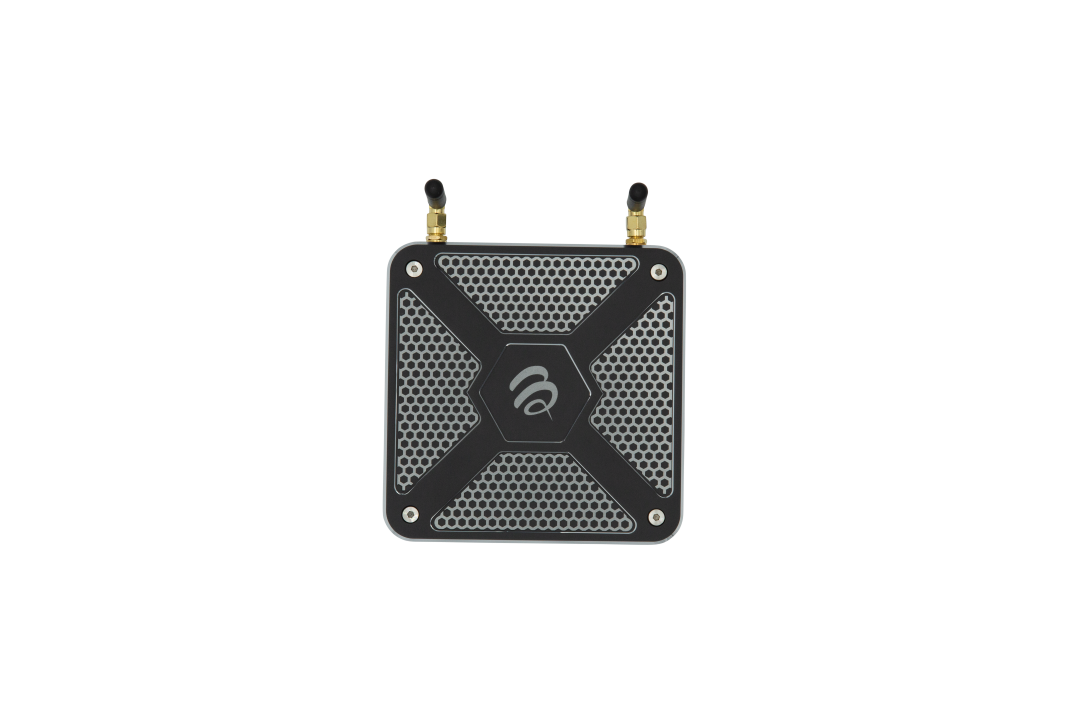
There are five iterations of the BuzzTV X5 and all are enclosed in an aluminum case.
The various models come with either 64GB of eMMC internal storage or 128GB.
These BuzzTV models all include future-proof features such as AV1 codec, Android 11, large internal storage, plenty of RAM, Gigabit Ethernet, and dual-band WiFi support.
The newer devices (X5 128 AX-C, X5 64 AX-C, and X5 AX Special Edition) come with WiFi 6 compatibility whereas the X5 128AI and X5 65AI do not.
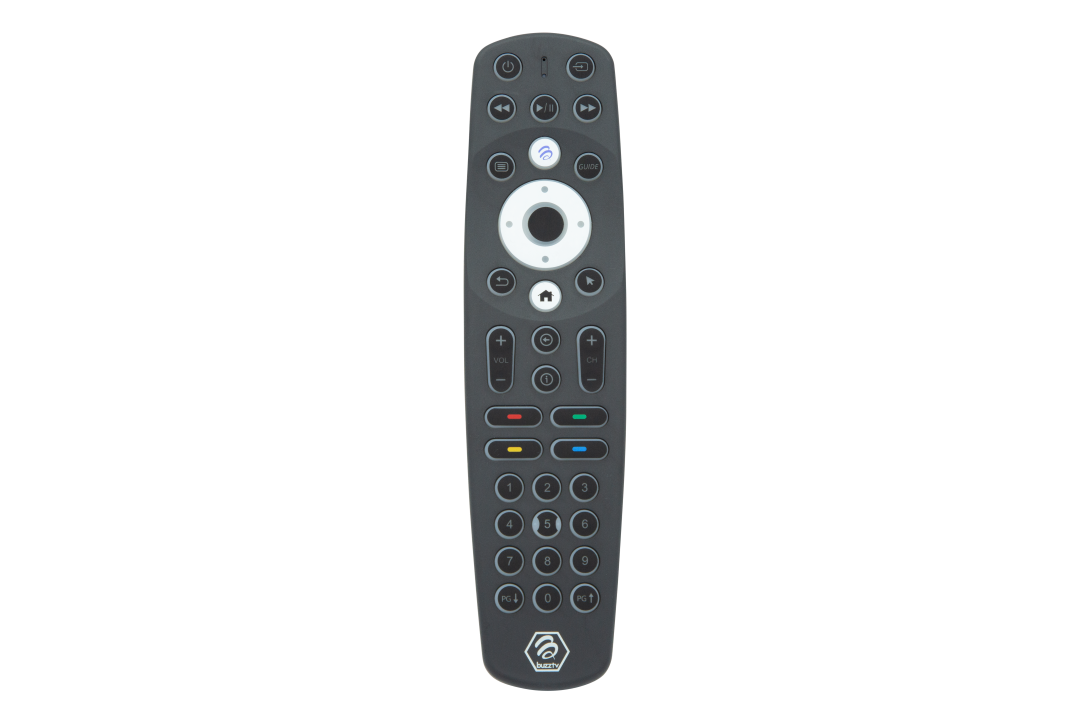
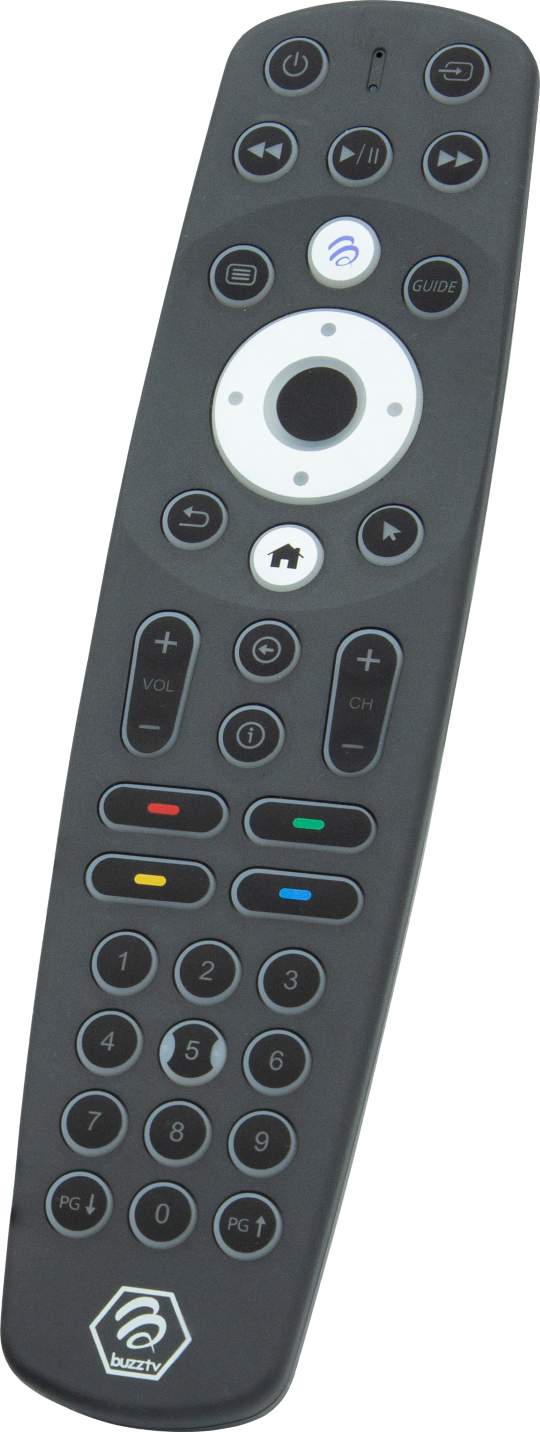
The systems come with a Bluetooth BT-400 Smart Remote with Smart Remote App. The included app allows us to customize some of the buttons on the remote.
Here is a statement that BuzzTV released regarding the X5 Android TV Box.

Sick of Slow, Rural Internet?
Whether you live out in the country or take your RV off the grid, Starlink delivers blazing-fast internet to areas that traditional providers ignore.
Check Availability & PricingThe X5 introduces our All-in-One media access solution, giving you complete control of your setup right at your fingertips.
I’m happy to report that the BuzzTV is running Android TV 11 and not stock Android. Android TV provides a friendly remote control experience and access to applications optimized for the television through Google Play Store.
Most off-brand Android TV Boxes are running a form of Android meant for phones and tablets and I’m very happy to see that this isn’t the case for the X5.
Exclusive Surfshark Discount
Warning: Your online activity is currently monitored by your ISP, app/addon/IPTV developers, government agencies, and the websites you visit.
- Become 100% anonymous while streaming and downloading.
- Use on Unlimited Devices & share 1 account with the entire family.
- Save 85% with the 24-Month Plan + Get 3 FREE Months.
Read about the differences between Android TV and Stock Android here
My favorite new feature on the BuzzTV X5 is the ability to rewind live TV. See my short video demonstrating this below.
My review won’t cover every single feature but I will point out important aspects that are unique to this streaming system.
BuzzTV X5 Purchase Links
Use Coupon Code TROYPOINT for 10% Discount
BuzzTV X5 128 AX-C 128GB – $199.99
BuzzTV X5 64 AX-C 64GB – $179.99
BuzzTV X5 AX Special Edition 128GB – $199.99
Powerful Components
These Android TV devices come with powerful components that make this a future-proof streaming system.

Big Tech is Scanning Your Emails
Stop letting free providers read your private messages to build advertising profiles on you. Take back your digital privacy with a secure, ad-free inbox.
The first thing that I noticed when unboxing the X5 is the strong aluminum case. Most Android TV Boxes are made out of plastic and it’s nice to see a durable case on the BuzzTV X5.
The biggest complaint that we often see from those who use streaming devices is the lack of internal storage. We don’t have that problem with the BuzzTV X5!
All X5 models come in either 64GB or 128GB of internal storage.
The large amount of internal storage should prove useful for recording live TV through the BuzzTV 5 IPTV application that we will discuss further in this review.
The BuzzTV X5 systems all come with 4GB of internal RAM Memory which will ensure a snappy device.
They also support Gigabit Ethernet and dual-band WiFi. I will test download/upload speeds as well which you will see below.
This Android TV Box is powered by the Amlogic S905Y4 Quad-Core Cortex A55 processor which provides power-saving capabilities yet still delivers great performance.

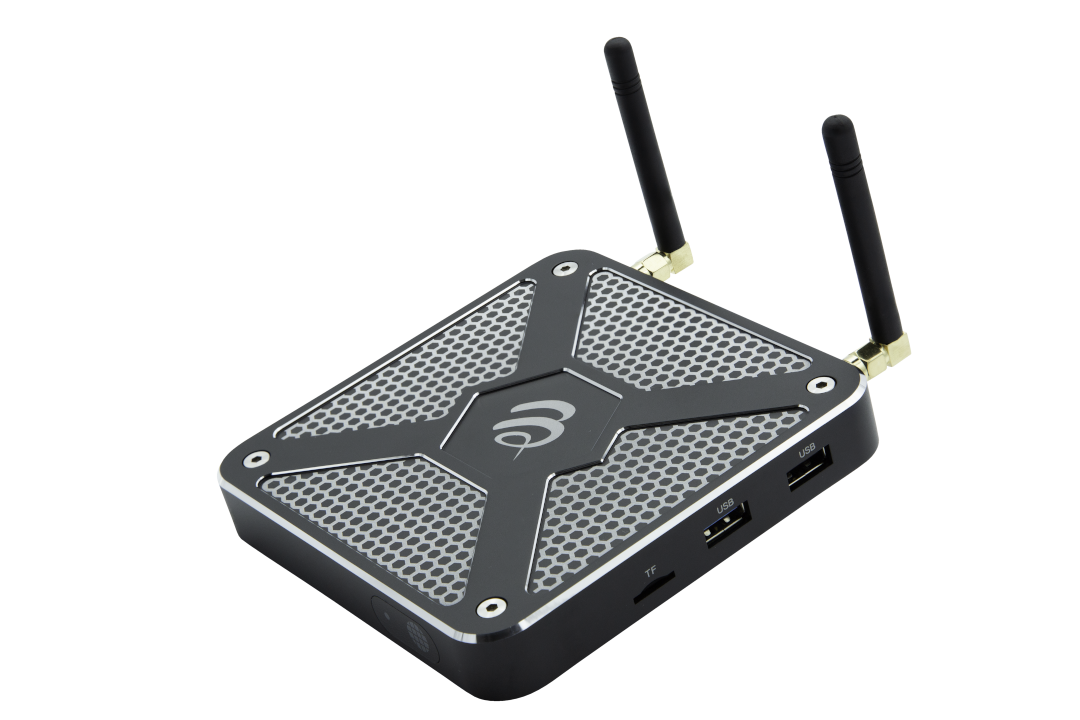
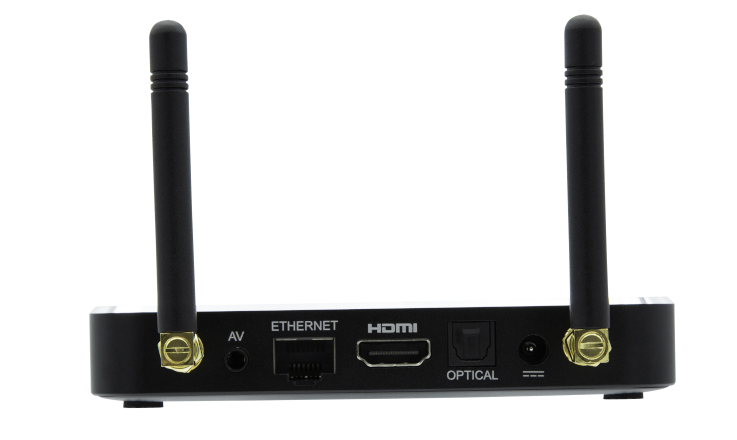
The BuzzTV X5 also comes with the following ports, USB 2.0, USB 3.0, micro SD card, optical digital audio, 3.5mm audio.
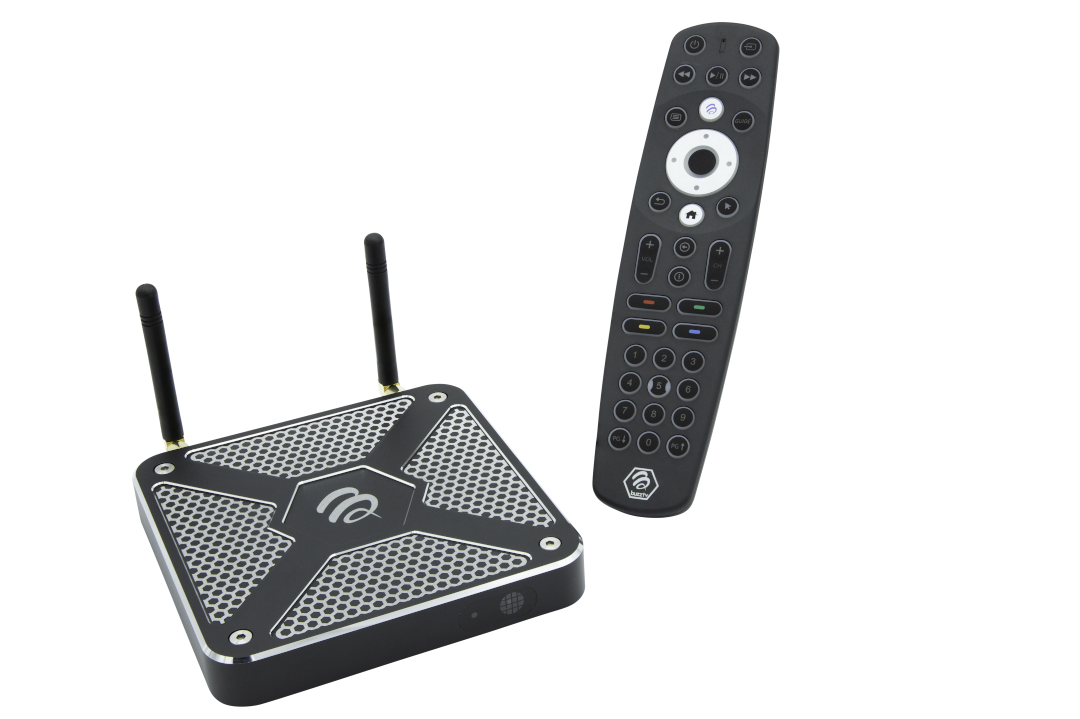
BuzzTV X5 Remote Control
This is one of the main selling points of this streaming device.
I really like this Bluetooth remote!
You can turn backlight buttons on/off within the BuzzTV 5 Remote Control Setup Application. The backlight has turned out to be a feature that I really enjoy when watching TV in my dark basement.
There are four colored buttons on the remote that perform various functions within the BuzzTV 5 IPTV application. But, you can also map these to launch various apps as well!

You will see that I’ve defined my four buttons to open the TROYPOINT App, YouTube, BuzzTV 5, and Kodi.

The BuzzTV X5 Remote Control App also allows you to setup your remote so it can control your television’s volume, inputs, and power buttons.
The only two complaints that I have about the remote are the directional buttons and no voice assistant support.
I wish the up/down/left/right arrow buttons on the remote stuck out so you could feel them. These buttons are the same depth as the select button and I often find myself pushing that instead of one of the directional buttons.
Unfortunately, voice assistant does not work on this remote. This isn’t a deal breaker for me because I hardly ever use it, but it may be to some, so I do want to point that out. Maybe a future update can fix this as well?
BuzzTV X5 Regular OTA Updates
Most off-brand Android TV Boxes don’t issue regular over the air updates, or none at all for that matter.
BuzzTV is well-known for sending out updates on a regular basis that fix various bugs or adds improvements to the product.

This is a sign that the company cares about their customers and want them to enjoy the best possible TV viewing experience possible.
BuzzTV X5 Launcher
I really like the BuzzTV X5 launcher.

It’s clean and provides various customization options.
You can choose from four different home screen layouts but I find BuzzTV Modern to be the best one. The Modern home screen allows you to display your favorite IPTV channels which is a huge benefit. You can quickly launch your favorite channels directly from your home screen!
You can also customize the home screen background with your own image.

I do wish there was a way to create your own sections on the home screen like you can with Wolf Launcher.
All-in-all, most people will like the BuzzTV X5 launcher that is easy to use and displays absolutely no ads.
BuzzTV X5 Purchase Links
Use Coupon Code TROYPOINT for 10% Discount
BuzzTV X5 128 AX-C 128GB – $199.99
BuzzTV X5 64 AX-C 64GB – $179.99
BuzzTV X5 AX Special Edition 128GB – $199.99
BuzzTV 5 IPTV Application
Like I said earlier, the BuzzTV X5 is designed for those who use IPTV services. Their BuzzTV 5 application is exclusive to their systems and comes loaded with some powerful features.
Two big changes that I see in BuzzTV 5 on the X5 is the ability to rewind live TV and better recording options.
Rewind IPTV Feature Video
Here is a short video demonstrating the rewind feature and how to set it up.
Rewinding live TV is huge in my opinion. There are so many times that I’m watching an IPTV stream and I want to rewind and watch something again. We can now do that with BuzzTV 5!
You must enable Timeshift within PVR settings to get this feature working.

You can define the cache size that you want to allocate to this feature and you can also use external USB drive for this as well.
The BuzzTV X5 also comes with powerful recording options.
You can perform both one-time or multi-day recordings.

I’m a big fan of this IPTV application and the included Bluetooth remote makes it easier to navigate.
AV1 Codec Support
The BuzzTV X5 supports AV1 Video (AOMedia Video 1) which will soon be the industry standard streaming format. Another great “future-proof” feature on the X5.

Expand Internal Storage
Expanding internal storage allows us to add an external storage device such as a USB drive and it is counted as internal storage.
Yes, we can expand internal storage on the BuzzTV X5.
I tested this with a SanDisk 256GB 3.0 USB drive and it worked as it should.

Due to the large internal storage, I’m not sure if there would be a need to do this.
Even with the smaller 64GB model, that should be plenty of space for applications and recordings.
But, if you need it, it’s there!
Sideloaded Apps Work Great
As with all of my reviews, I installed my favorite apps with the free TROYPOINT Toolbox.

I installed Synlcer and Kodi then paired my Real-Debrid account to both applications.
I streamed both public domain movies and TV shows in 4K quality and everything worked as expected.
BuzzTV X5 Download & Upload Speeds
I used Analiti Speed test app for the following tests.
I have 1 GB Fiber download speed plan through my Internet Service Provider.
During the WiFi tests, I am connected to the 5Ghz band on my Asus AC3100 Router. This router resides in the same room as my BuzzTV X5 (approximately 20 feet away from wireless router).
I’m using IPVanish VPN as my VPN on Chicago Server 04 (chi-a04).

Gigabit Speeds
VPN Off: Download = 900 Mbps & Upload = 237 Mbps
VPN On: Download = 210 Mpbs & Upload = 155 Mbps
WiFi Speeds
VPN Off: Download = 376 Mbps & Upload = 197 Mbps
VPN On: Download = 163 Mbps & Upload = 125 Mbps
As you can see above, the download and upload speeds are fabulous!
It’s great to see that the BuzzTV X5 comes with a Gigabit adapter as those speeds are off the charts.
BuzzTV X5 Purchase Links
Use Coupon Code TROYPOINT for 10% Discount
BuzzTV X5 128 AX-C 128GB – $199.99
BuzzTV X5 64 AX-C 64GB – $179.99
BuzzTV X5 AX Special Edition 128GB – $199.99
BuzzTV X5 Specs

Note: The BuzzTV X5 Special Edition comes with WiFi 6 and chameleon color on aluminum case. The additional specs listed below are included on all BuzzTV X5 systems.
- Operating System: Android 11
- CPU: Amlogic S905Y4 Quad-Core Cortex A55
- GPU: ARM Mali-G31 MP2
- Memory: 4GB
- Internal Storage: 64GB eMMC or 128GB eMMC
- LAN/Ethernet: 100/1000 Mbps (Gigabit)
- WiFi: 2T/2R Dual Band
- USB: 1 X USB 2.0, 1 X USB 3.0
- Card Reader: 1 X TF microSD
- HDMI Output: 4Kp75 10bit: H.265/VP9 P-2/AVS2, 4Kp120 10bit: AV1 HDR10/10+
- Enhanced Audio Output: 1 X Optical Digital Audio
- Remote Control: BT-400 Smart Remote
- Power Supply: Standard Canada/USA or Universal Power Kit (EU/UK/AU/SA)
- BuzzTV App: BuzzTV5
BuzzTV X5 Images
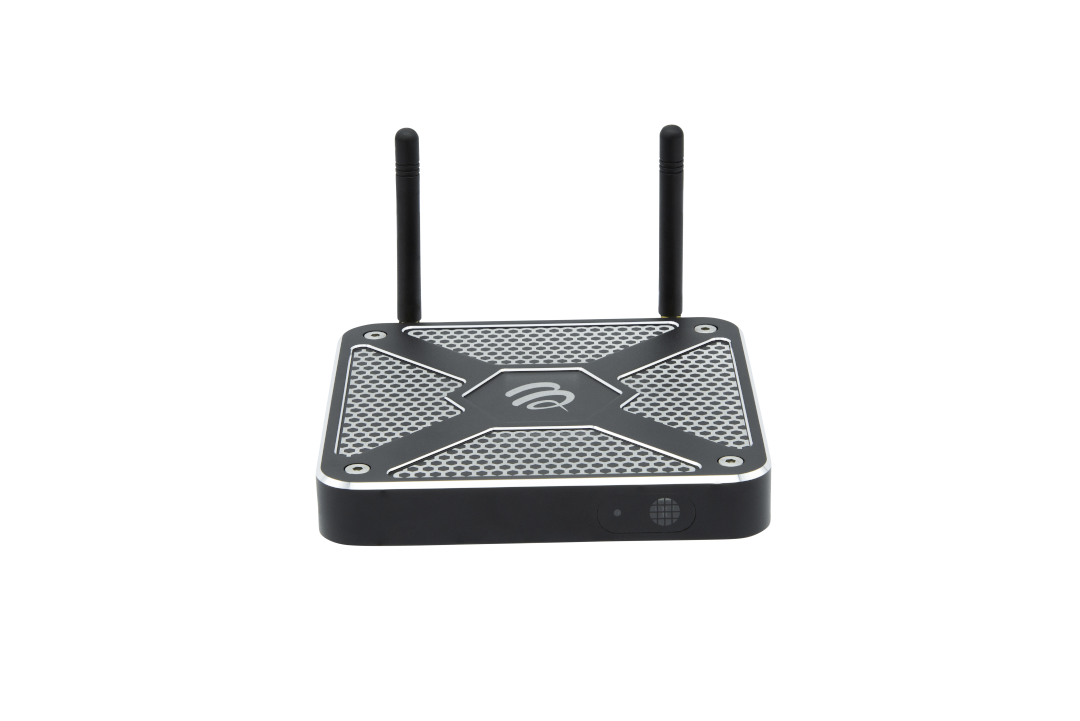
Here are some pictures of the BuzzTV X5.
Click images to enlarge.








What’s In The Box?

- X5 AI Set Top Box
- BT-400 Smart Remote
- HDMI Cable
- Power Supply
- Setup/Help Card
- 2 X Premium AAA Batteries
Who Is The BuzzTV X5 For?
The BuzzTV X5 is designed for those who use IPTV services that allow for either XC API Login, M3U, or MAC Server setup.
If you’re using an unverified IPTV service, more than likely they they support one of the protocols mentioned above.
The X5 is also great for those of you who use free streaming APKs such as Kodi, Syncler, etc.
This Android TV Box is not meant for those who use Netflix. Netflix is not certified on the X5.
I did test Amazon Prime and that application is working as it should.
What I Like
- Android TV 11 OS
- Strong Processor with Good Power-Saving Capabilities
- 4GB of RAM
- Gigabit Network Adapter
- Dual-band WiFi
- USB 2.0 & 3.0 Ports
- Micro SD Card Slot
- Optical Audio
- Customizable Bluetooth Remote
- Bluetooth 5
- Launcher
- Can Expand Storage
- Great Download/Upload Speeds
- BuzzTV 5 IPTV App
- Rewind Live TV
What I Dislike
- No voice assistant on remote
- Directional buttons on remote should stick out more
Note: I no longer deduct points for no Netflix certification due to the numerous free streaming apps that are available.
Final Thoughts on the BuzzTV X5 Android TV Box

If you’re an IPTV user, and your in need of a new streaming device, I would definitely recommend the X5.
BuzzTV has done a great job of future-proofing this device, which should perform great for years to come.
Yes, it does cost more than a Firestick or Chromecast with Google TV but you need to look at what you’re getting with the X5. The X5 alleviates all of the problems continually mentioned on the less expensive streaming devices from storage, RAM, Gigabit, ads, the list goes on and on.
You also need to remember that companies like Amazon can sell their devices at a loss due to the constant selling through the ads you see within their user interface. This is why you can get their devices so cheap but you won’t have as much freedom as you do with the BuzzTV X5.
There are only two manufacturers making devices such as this that implement an exclusive IPTV application in combination with a full-featured remote. The other is Formuler.
The two devices are great at what they do but I give the BuzzTV X5 a slightly higher rating than the Formuler Z10 Pro Max.
Rewinding live TV within my IPTV application is big for me and the inclusion of a powerful Bluetooth remote is nice too. Unfortunately, we can’t rewind live TV on the Formuler and their remote control is not Bluetooth, it’s IR.
Again, if you’re an IPTV user, I think you will be more than happy with the BuzzTV X5 Android TV Box and it’s going to last for a long time due to its future-proof design.
I rate the BuzzTV X5 4.7 out of 5.
BuzzTV X5 Purchase Links
Use Coupon Code TROYPOINT for 10% Discount
BuzzTV X5 128 AX-C 128GB – $199.99
BuzzTV X5 64 AX-C 64GB – $179.99
BuzzTV X5 AX Special Edition 128GB – $199.99
This page includes affiliate links where TROYPOINT may receive a commission at no extra cost to you. Many times, visitors will receive a discount due to the special arrangements made for our fans. Learn more on my Affiliate Disclaimer page.


does the buzztv app have ppv
Does the X5 Special edition have the Catch-Up feature?
If it does, how does this feature activate?
Thanks for this article, and in general, all you do! One question about Buzz TV, I don’t see this question addressed, but is it possible to record live TV from Kodi?
I bought my hubby one of these and the same thing happened with the remote after this April update being talked about below. It eats batteries now because it continually does awfully strange things including unpairing itself about five times per day and freaking out scrolling through the guide or wherever you happen to be from the touch of one button, the volume button goes wide open with a touch.
It never did anything like this before and I now see that we aren’t the only ones affected.
I have seen nothing posted from the company about it or any files to fix it. It seems like they just don’t care while we continue to get more frustrated by the day with their faulty update.
It looks like we are going to have to buy some other brand of box because this is just not acceptable.
If you are going to get a different box I would recommend the Formuler Z11 promax but before you do something like that get in touch with tech support. They are located in Brampton, Ontario and they can possibly suggest something while you are an the phone with them as I have dealt with them before about other things and they sorted it out on the phone with me and then like a week or two later they would come out with an update to fix the issue that I was having plus some other things to.
There are two things that I don’t like about this streaming device. The remote is an inconvenience because it is easy to hit the wrong key. What caused me the most frustration is there is no easy way to hook up a sound bar. Most streaming devices allow easy hookup to a sound bar. This caused me to unhook this and go back to the firestick.
I got my husband a new Buzz X5 for Christmas and he was happy with it until he let it take this new update a few weeks back and now it is messed up, especially the operation of the remote control, It loses connection multiple times per day and does not respond properly any more, it flies through categories with a mind of it’s own.
He reset everything and put new batteries in it but there is no difference.
Why have they not fixed this major issue by now?
We will never recommend or buy another Buzz product ever with this kind of service they are far too expensive to have shoddy firmware like this sent out to them that messes them up.
Why can’t he put it back to the way it was at least?
Have you tried reaching out to their support? They will help you if you ask.
All sorts of funny stuff going on after the recent BuzzTV X5 firmware update. I’m afraid they didn’t do their due diligence on this one before releasing it, and you can’t roll it back to the previous one.
Major remote issues, hanging/locking up issues. If the remote is moved more than a few feet away from the TV it loses connection with the STB. I had none of these issues before this extensive update and have read about many others with the same issues since they took this update.
I sure hope they’re on the ball with a fix as these are far from cheap Android boxes and this is maddening that they are not responding with a fix or allowing us to at least roll back to the previous firmware.
JUNE is firmware update fixed
The BuzzTv X5 128 al has been given a firmware update April 2023, ever since it took this update it is acting up and the remote keeps losing connection multiple times per day and malfunctioning steady as well as other issues with hanging, locking up when using time shift. They need to allow people to roll back this buggy update pr provide a new one ASAP
Hello Troypoint,
I love your reviews and guide you make, looking at this make me want to get one. I noticed only some devices had the pvr+ so you can rewind, I saw you mentioned as well that it can’t be done on Formuler devices but I just wanted to correct that part. You could always do timeshifting on Formuler (rewind live tv) you just need a external devices. I’ve got 3 formuler devices and two will not power on, the third was given to my brother. Does the buzztv boxes have recovery images?
How can i get downloader and Troypoint’s rapid app installer on this? Thanks Tim.
Hi Tim, see if this helps – https://troypoint.com/install-apk-on-android/
Hello, I just want to say that I have been using the BuzzTV 5 for a couple of months and it is very impressive, however, in my case and since I live in a rural area, I do not get a very strong wi-fi signal and as a consequence, I get more buffering than I like. With my Formuler Z8 Pro, I barely get any; for that reason, I am only using it sporadically. I am hoping that our situation in the area I live gets corrected so that I can take full advantage of it.
The most impressive feature of the BuzzTv is their support; when I reached out to them, I got a phone call…yes, a phone call and from there on, texting has been very consistent. They have a tech/developer in Las Vegas, NV who will get to you without having to go thru hoops and craziness, that alone is worth it to me.
They can work out any issues you may have.
Hi Troy. Thanks for the review. I recently–based on your recs– have been using TiViMate for my iptv interface. Does BuzzTv support TiviMate–is it worth the upgrade if it does not support TiviMate?
Thanks
Stuart
Troy, i bought the same external storage (sandisk) that u used for the buzz tv 5. i just plugged it in and it showed the external storage on the device in settings. my question is it says erase and format, do i click that or is that for an already used external storage device? The sandisk i bought is brand new so not sure if i click that erase and format. I’m anxiously waiting for your next buzz tv video. thankyou, and your tutorials have helped me big time over the years so thanks again
You have options for your Sandisk. If you want it as external storage only, format on your PC and it is a removable device. If you want to make the Sandisk part of internal storage, then erase and format from the X5 menu. Its the same for a microSD.
I purchased the 128gb X5 and I am extremely pleased with the results. Thanks for the review. The only issue I have is Peacock will not work. Downloaded from Aptoide, your site and from various sites on the internet.
Error is something is wrong … access Peacock from a more secure device.
Is Peacock working on your X5?
if u have a vpn make sure you check peacock in your split tunneling, easy to forget, i did the same with youtube. not sure this is the problem but figured to rely as the same type of thing happened to me
I’m sure this is a good box,but not good enough to make me get rid of my shield pro
Just curious what IPTV service this is? Does anyone know?
Buzz does not provide the IPTV service. You have to purchase your own, then install the XC API Login, M3U, MAC Server setup or Xtreme Code, username and password credentials of the IPTV service you purchase.
Got this thing yesterday, and am very close to returning it. I do like the home screen options, but the primary thing I bought this for, the ability to rew/ff live video was #1…and it does not work on this unit. I followed Troy’s instruction to the letter, and it will just not work. Same with the ability to control my TV with the remote. I have a Samsung, and followed the instructions on Buzz’s website. I got the volume indicator to appear on the screen, which is supposed to indicate that pairing was successful, but it controls nothing on the TV. I’m open to any suggestions, and will research this a little more, but I’m getting close to being done with it if it can’t do the primary thing I spent $200 for. Back to the Shield Pro.
Hi Mark, have you reached out to Buzz for help? It paired find with my LG television. I haven’t tried it on any other TVs. The rewind feature also works great on mine. I would suggest reaching out to their support team for help.
Actually, I figured out what was wrong with the ff/rew. I had bumped up the amount of cache in the settings, and it apparently didn’t care for that. I set it back where it was (2GB) and now that function works. That’s huge…and I’ll be keeping it!
However, the TV control issue is still there. Not a dealbreaker, but I’d sure like to get that working.
Thanks Troy, I did not see your response until after I posted my update. Appreciate the help, and if I can’t figure it out, I will do just that.
The device sounds nice, but the price would cost me $1,00.00 for my 5 TVs. I can’t justify this. What is the best replacement for 5 TVs? I have a mix now of older firesticks and ONN. I have one Max I use for testing.
Hi Ron, this BuzzTV X5 or another premium device like the NVIDIA Shield or Fire TV Stick 4K Max would be great for your main TV. The other TVs could be for the onn Android Box or other Firesticks – https://troypoint.com/walmart-onn-android-tv-box/
That what I am doing, a mix of devices. I still think if the ONN can provide voice responses and other thing that it provides, I would expect the X5 to provide these functions and more. How do you expand to USB storage, details? I appreciate all you do. I have time to spend on the X5 just need technical advice to do it. My friend uses USB storage to download old movies and TV show to put on his flex server.
I wouldn’t buy 5, I would just buy one for your family room; or you man’s cave.
You can rewind on the Formuler
Is the link above an affiliate link for TroyPoint?
I am going to buy one and would like TroyPoint to get some compensation from BuzzTV.
Thanks for the detailed review. ?
Hi Steve,
Yes! Please use the link in this review.
Will the dvr function work with ApolloTV?
How does this unit compare to nvidia shield? Thanks!
If I didn’t have the XRS4900 I would purchase the X5 right away. It looks like a really nice box. Buzz is quality. Not too fussy about their sticks, but the boxes are very nice.
With the BuzzTV X5 IPTV app, does that actually give one all the IPTV channels or does an outside IPTV service still need to be purchased? How does that work?
Thanks!
They didn’t provide you with any discount codes?
I typed in troypoint in the discount code box and got 10% off….. Thanks Troy
Head to head with shield,who wins?
Shield of course! It’s so powerful, plus it has that 4K when streaming Netflix, Prime, Disney and the rest. That’s the edge it has over the Buzz. Also the Buzz can be a lil buggy as well. Stay away from their sticks though.
My Fire Stick 4k Max is faster than my Shield TV Tube for IPTV, I think the Shield is in a league of its own for gaming, but for IPTV its not the best at all.
I have both, im now using Buzz rather than my shield with tivimate….both are just about equal but at 1st i didnt love the buzz tv 5 but it grew on me and now its my #1. the recordings seem to come out perfect and love how you can set it to record say friday at 8pm history channel and every week it records friday at 8. With my shield/tivi i had issues with recording, it was literally a 50/50 if it would work. Also i really love my 4 buttons on the remote for shortcuts. but overall the 2 devices are very close with Buzz edging out the shield pro by a nose.
Hi
My hearing is impaired slightly and I now rely heavily on subtitles with all the programmes I watch. Is this possible to get subtitles on everything with this item.
Hi Terry,
Yes this device has subtitle capabilities.
I use headphones Decibel H78 , $55.00.
Hi. Please address whether recordings can be automatically saved to a network address (smb folder on a PC drive, for instance). Also, can the popular Tivimate app be installed for watching live TV instead of the stock app?
Yes you can use Tivimate.
Could you please give me your view on this box vs Tannuglar new box. Which you think is a bit better
Hi Troy,
Since you can use this box with IPTV services along with recording and rewinding of live tv, does it negate the need for using the Tivimate app?
Thank you!
You can use the provided app instead of Tivimate, yes.
You can. But TiviMate is the King of the TV guide apps. You can so much more with TiviMate. I have the TiviMate on my XRS4900 as well. Plus it’s more reliable.
Can you use Bein football and Dazn iptv service and similar Sky tv on the Buzz tv5?
Troypoint said it is running android tv 11.right at the top of this article.not stock android.
Will this work with IPTV Pro?
Hi Roger,
I have not tested but I’m sure it will.
Does the dvr function work with ApolloTV IPTV?
Thanks.
Doesn’t appear to be anything new or ground breaking here. Timeshifting has been around on dreanlink and formuler boxes for years.
You said it has its own IPTV software app within the box is there a monthly subscription to it as well and what is that cost?
Also, in order to sideload other apps is “downloader” on this box or does or can it be added?
I have been using the XRS4500 for a few years now and I love it. It is well worth the price. I use apk’s and kodi is awesome on this device.
Is there any way to Download Netflix ?
Hello petter,
You would have to side load the netflix app but it won’t be full hd sir.
Hello,
You would have to sideload it but as the box isn’t Netflix certified it wont be full hd. There is android versions on the Rapid app installer.
Hello,
Draco Thank you for your reply.
Can you use team viewer to remote control it.
ClonerAlliance box, EVOLVE. Check it on Youtube first.
Hi Troy
Is the box/IPTV meant for the US market alone or will it work in Europe? Could I order it with a UK plug?
Hello John, you will need a eu plug adapter outside of canada/usa.
look up kuul media for european purchases
BuzzTV X5 V/S Nvidia Shield pro, Which of the two is better?
How do I get a box to buy
Hello,
Go the provided link in this review it takes you to buzz main purchase website. United states and canada. If in stock amazon may have them.
Hello,
Please check out this section of the review. BuzzTV X5 Purchase Links
Where can I buy this box from please
Hello,
This review is provided with how to buy this box, please go to this page and look at purchase links.
Your review did not address any info about the IPTV service, ie: what channels, VOD. Are there any premiums like NFL, MLB, etc. How about HBO, Showtime Cinemax, etc.
Sam,
It does not come with an IPTV Service.
Looking forward to your unbiased review of the new BuzzTV X5. Will it be out before the new boxes are available to purchase?
What is the difference and if I buy one can I expect to load and side load the same apps and IPTV that I currently have with the Firestick?
Hi David, correct since BuzzTV boxes are Android TV Boxes they allow for side-loading.
There has to be a way to show downloaded
content in am easier way…
Being most likely, a budget friendly alternative to the XRS4900 Powerhouse (that constantly overheats despite two external fans running on top and below it). That being said, I could not imagine how a few “all in one” features could even make it compete with the flagship XRS4900….thoughts anyone?
Wow!!! I would love to that one.
So this is an android custom OS not official android tv?
NO..it is NOT Official Android TV..it is only the Android 11 OS.