
The following guide covers Nova TV APK with details on installation, safety, legality, and other features.
IMPORTANT NOTE: Nova TV is no longer working properly without an official download source. We suggest using an alternative from our list of Best APKs for Movies/TV Shows. These apps are continually being developed and provide an elevated viewing experience on any device!
Nova TV is a well-known streaming application that provides on-demand movies and TV shows. This app has been around for several years and provides high-quality links for Video on Demand content.
While Nova TV provides some free streams, it works best with premium debrid services like Real-Debrid, Premiumize, and AllDebrid. We provide more details on debrid service integration below.
Nova TV works on any Android-powered device including Fire TV, Android TV/Google TV, Android phones, tablets, and more.
How to Install Nova TV on Firestick & Android TV
In this guide, we are installing the Nova TV app on an Amazon Firestick 4K Max, but these instructions also work on Android TV/Google TV devices.
Note: This app does NOT work on the Fire TV Stick Select model. This device does not run on Android OS and instead uses “Vega OS” which is Amazon’s in house platform.
1. You must first install the Downloader app on your device. If you haven’t done this, refer to our Downloader Tutorial. Make sure it is the official Downloader app by AFTVNews.
Hide Your Digital Fingerprint

2. Launch Downloader and click the search bar on top.

3. Type the following code 6477876 and click Go.

4. Wait a few seconds for the APK file to install.

5. Click Install.

6. Click Done. We must install a video player before we can use Nova TV.
Exclusive Surfshark Discount
Warning: Your online activity is currently monitored by your ISP, app/addon/IPTV developers, government agencies, and the websites you visit.
- Become 100% anonymous while streaming and downloading.
- Use on Unlimited Devices & share 1 account with the entire family.
- Save 85% with the 24-Month Plan + Get 3 FREE Months.

7. Return to Downloader and click Delete.

8. Click Delete again. While you have successfully installed Nova TV, we must now install a video player to stream content from this app.

9. Return back to the Downloader home screen and click the search bar on top.

10. Enter the code 250931 and click Next.

11. Wait a few seconds and you are now on the TROYPOINT Toolbox.

12. Scroll down and find BPlayer and then click Download.
Big Tech is Scanning Your Emails
Stop letting free providers read your private messages to build advertising profiles on you. Take back your digital privacy with a secure, ad-free inbox.

13. Wait a few seconds for the APK file to install.

14. Click Install.

15. Click Done.

16. Now launch the Nova TV application.

17. If you are using a Fire TV device you will get this warning message. Click Launch Anyway.

18. Click Yes for Storage Permission.

19. Click Accept for this Disclaimer message.

20. You have successfully installed the Nova TV app on your device.

21. The final step before using Nova TV is to protect yourself with a VPN since this is an unverified streaming app. See our VPN on Firestick tutorial for more details.

How to Integrate Debrid Services
While Nova TV does have free links, for best results, we suggest integrating a debrid service like Real Debrid. You can easily do so within the Settings of the application.
1. Launch Nova TV and open the Menu bar to select Settings.

2. Scroll down to find Login to Real-Debrid and click it.

3. You are then provided with a real-debrid authorization code.

4. Visit real-debrid.com/device and enter the code you are given.

5. You should see an “Application allowed” message.

6. Return to Nova TV to see the login successful message.

How to Remove Ads on Nova TV
Nova TV is known for having intrusive ads when exiting the playback of a Movie or TV Show. Many have experienced the application completely locking up as there is no way to exit these advertisements after closing content.
While there are other “modded” versions of this APK that provide ad-free content, we suggest avoiding these. They may contain malware and oftentimes users find that various features within these apps do not function properly.
Your best bet is to opt for the official version of Nova TV and eliminate ads with Surfshark VPN’s CleanWeb feature. To enable CleanWeb for ad-free Nova TV, follow the instructions below.
1. Launch the Surfshark App and select Features.

2. Enable the CleanWeb feature to remove ads on Nova TV.

3. Return to the Nova TV App to see your ads are removed.
Nova TV Categories & Details
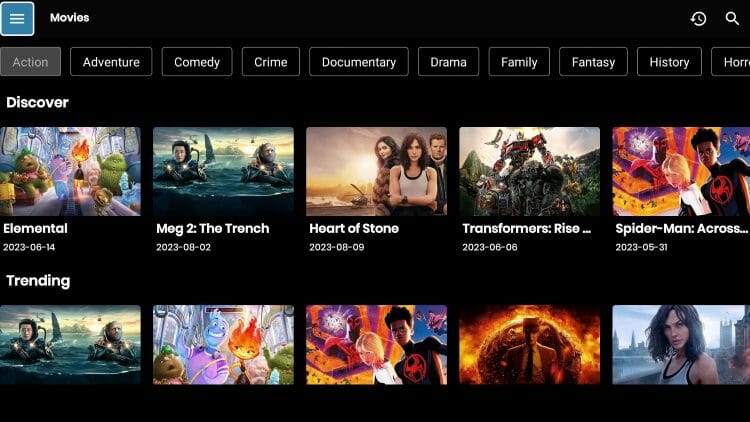
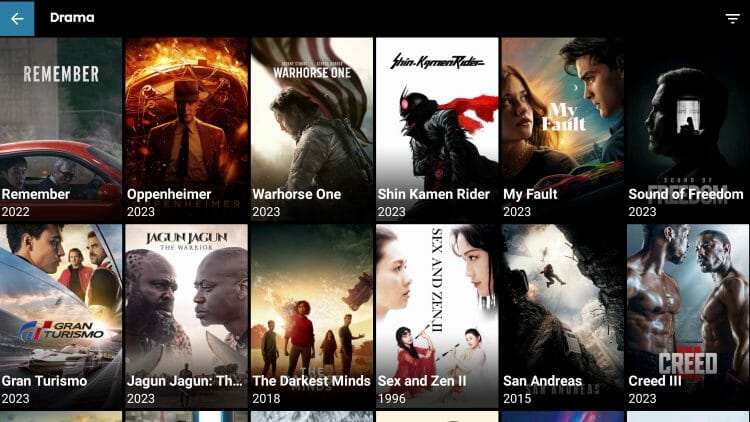
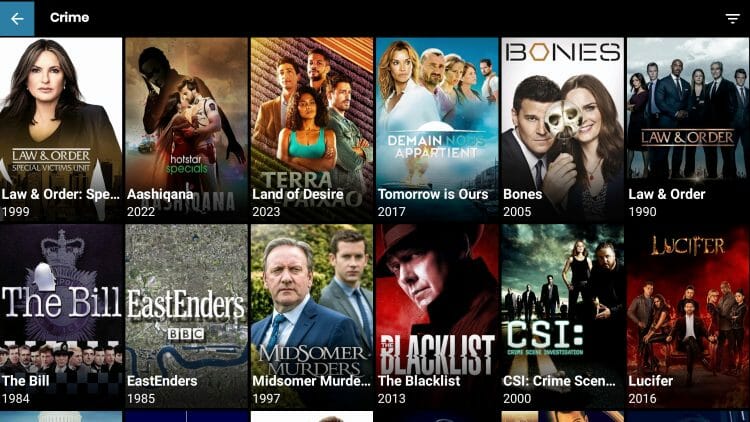
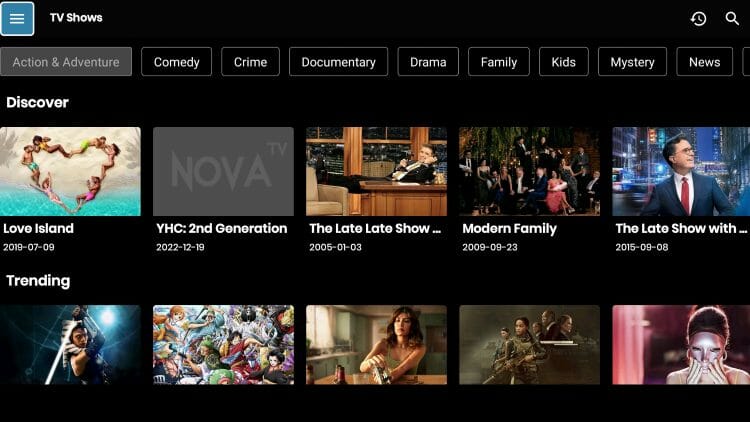
Nova TV organizes its library into several browsing categories that make finding content simple. The home screen greets you with Trending, Popular, and Top Rated sections for both movies and TV shows.

For TV show fans, the app breaks content down by season and episode, so you can pick up right where you left off.
There’s also a TV Calendar feature that tracks upcoming release dates for new movies and series, which is a nice touch for staying current on fresh content drops.

One more thing worth mentioning: the Settings menu gives you control over your preferred video player, debrid service logins, subtitle options, and content filters. I recommend spending a few minutes in Settings after your first install to get everything dialed in.

App Screenshots
Nova TV App Review
Nova TV has been a staple in the cord-cutting community for years, but there are pros and cons worth knowing before you install.
What We Like
- Passed VirusTotal scan with zero threats detected
- Real-Debrid, AllDebrid, and Premiumize integration
- Supports external video players like BPlayer for better playback
- Trakt integration syncs your watchlist across devices
- Simple interface with high-resolution posters and TMDb metadata
- Built-in TV Calendar that tracks upcoming movie and series release dates
- Content organized by genre with categories
- Active developer who continues pushing updates with new link providers
- Watchlist, Favorites, and Search History features for easy content management
What We Don’t Like
- Legal status of scraped content is questionable and unverified
- Not available on Google Play, Amazon App Store, or Apple devices
- Ads appear after exiting playback and can freeze the app
- Free links are hit-or-miss without a debrid service
- No built-in live TV or IPTV playlist support
- Modded ad-free versions floating online may contain malware
Is Nova TV Legal?
It’s impossible for TROYPOINT to determine whether these unverified apps like ‘Nova TV’ hold the proper licensing.
TROYPOINT recommends only accessing media not protected by copyright such as those that fall under Public Domain status.
The end-user is responsible for all content accessed through unverified apps. For verified options, see our list of legal streaming apps.
Is This App Safe to Use?
It is extremely important to check these “unofficial” applications for malware/viruses before using them and the best way to do this is with VirusTotal. Pictured below is a screenshot of the APK file.

While VirusTotal did not find any suspicious files with viruses/malware, we should always protect ourselves with a VPN when streaming content from unverified streaming apps.
Final Notes from Troy
Nova TV remains a solid option for on-demand movies and TV shows, and the developer continues to push updates. I recommend pairing it with a debrid service like Real-Debrid for the best streaming experience, as free links alone can be unreliable.
And as always, make sure you’re running a VPN before opening any unverified streaming app on your device.
Let us know what you think of Nova TV in the comment section below!
This page includes affiliate links where TROYPOINT may receive a commission at no extra cost to you. Many times, visitors will receive a discount due to the special arrangements made for our fans. Learn more on my Affiliate Disclaimer page.


