
The following article explains the best ways to watch Porn on Firestick or Fire TV in 2025.

You can watch porn on your Firestick using porn apps (APKs), adult websites, Kodi add-ons, and live TV services that offer XXX channels.
These methods will apply to all devices running the Android operating system since they can be jailbroken. This includes Fire TV, Android TV, Google TV, and also Android phones/tablets.
Before viewing adult content on your Firestick, there are several risks you should first be aware of.
This includes the threat of viruses, malware, hackings, malicious ads, illicit operators, and your Internet Service Provider (ISP) monitoring your activity.
TROYPOINT always recommends connecting to a VPN on your Firestick if you decide to watch adult content. We suggest using a quality porn VPN to protect yourself.

How to Watch Porn on Firestick in 2025
Below you will find the best methods for watching porn on your Amazon Firestick or any Fire TV device.
Disclaimer: TROYPOINT does not endorse anyone under the age of 18 to access adult content. If you are under the legal age, please stop reading this article immediately.
Hide Your Digital Fingerprint
1. Adult Streaming Apps
The most popular way to watch porn on Firestick for free is through porn apps (APKs). These adult applications provide hours of content and various categories to choose from.

Since most adult applications are unavailable in the Amazon App Store or Google Play Store, they must be side-loaded on Firestick and Fire TV devices.
You can side-load third-party applications using the Downloader App. See our quick guide below.
1. Install the Downloader app and click the search box.

2. Enter the following URL – bit.ly/jiztg and click Go.

3. Wait for the app to download.

4. Click Install.
Exclusive Surfshark Discount
Warning: Your online activity is currently monitored by your ISP, app/addon/IPTV developers, government agencies, and the websites you visit.
- Become 100% anonymous while streaming and downloading.
- Use on Unlimited Devices & share 1 account with the entire family.
- Save 87% with the 24-Month Plan + Get 3 FREE Months.

5. Click Open or Done.

6. Click Allow.

7. That’s it! You have successfully installed an adult application on your Firestick.

Some popular adult applications that can be installed on any Amazon Firestick or Fire TV device include the following:
- Jizztagram
- Incognito Play
- Flix Vision
- XNXX
- Wankz
- Nutaku
- Adult Time
2. Kodi Adult Addons
Kodi is one of the most popular streaming apps used by millions. While most cord-cutters use this free media center to stream movies and TV shows, there are dozens of adult add-ons you can install for free.

Kodi can easily be installed on your Firestick along with Android devices, Windows, Mac, Linux, iOS, and more. Most of these add-ons are scrapping online streams to broadcast adult films, live cams, and other categories.
The most popular adult add-ons on Kodi include the following:
- Area 69 X
- Ali ohh la la
- The Crew
- Cumination
- Cum With Me
- XXX-O-DUS
- Ultimate Whitecream
3. Live TV (IPTV) Services
While most live TV services don’t offer adult content, there are some who offer adult channels in their subscription packages. These services usually cost between $10-30 per month.
Big Tech is Scanning Your Emails
Stop letting free providers read your private messages to build advertising profiles on you. Take back your digital privacy with a secure, ad-free inbox.

Plus you get thousands of live channels and VOD content in most quality providers. Some popular services offering adult content include the following:
- XtremeHD
- CatchON TV
- Kemo IPTV
- YeahIPTV
- TiviStation
- Honey Bee
4. Porn Websites
Visiting adult websites is another popular method for watching porn on Firestick. Users can install the Silk Browser, Amazon’s free web browser optimized for Fire TV devices. See our quick guide below for accessing these websites on any Fire TV device.
1. Hover over Find within the main menu and click Search.

2. Type in “Silk Browser.” Click the first option that appears.

3. Click the Amazon Silk Browser under Apps & Games.

4. Click Download.

5. Wait a few seconds for the Silk Browser to install, then click Open.

6. Launch the Silk Browser and click the search box.

7. You would then visit whatever adult website you prefer. Keep in mind you may be required to verify that you are over 18 to access certain adult sites.
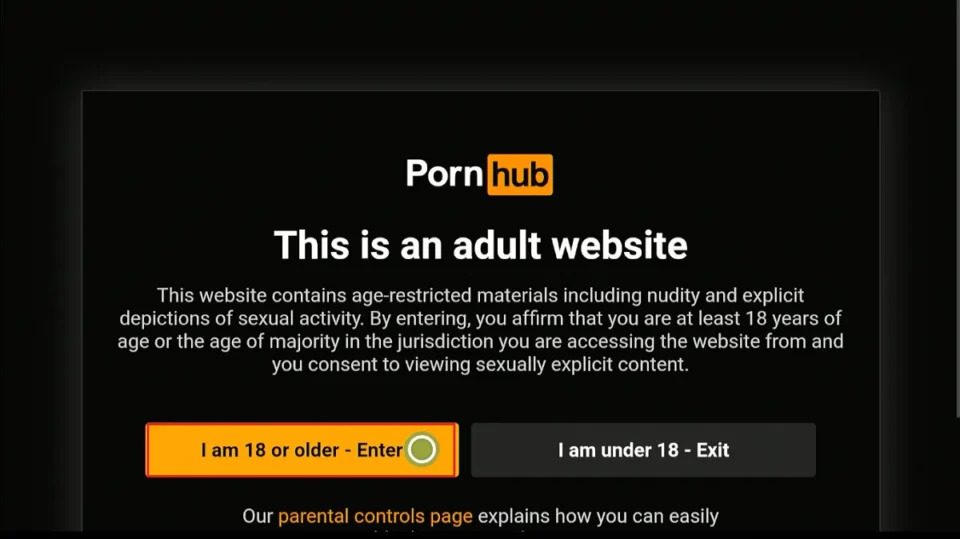
Below are some examples of popular adult websites:
- PornHub
- XVideos
- XHamster
- Brazzers
- XNXX
- RealityKings
Is Watching Porn on Firestick Legal?
Yes, watching porn on Firestick is legal in the United States, but there are some countries where viewing adult content is not legal.
TROYPOINT also does not endorse anyone under the age of 18 to watch adult content. It is also impossible for us to determine if unverified apps, add-ons, or websites are carrying the proper licensing.
The end-user is responsible for all content accessed through unverified streaming options.
Protect Yourself With a VPN
Using a VPN to protect yourself while watching porn on your Firestick is very important. A VPN will mask your IP address, making your connection anonymous to your Internet service provider (ISP), hackers, operators, and other watchdog groups.
Surfshark is the best VPN for protecting yourself online. This is because of their no-log policy, strong encryption, unlimited connections, fast speeds, unblocking capabilities, and more.
Final Thoughts from Troy
Overall, these are the best options for watching porn on Firestick or any Fire TV device. Again, it’s important you protect yourself online at all times before using any of the applications, websites, or live TV services mentioned in this article.
Did we miss any of your favorite options to stream porn on the Amazon Firestick? Let us know your thoughts in the comments below!
This page includes affiliate links where TROYPOINT may receive a commission at no extra cost to you. Many times, visitors will receive a discount due to the special arrangements made for our fans. Learn more on my Affiliate Disclaimer page.


Troypoint
What is the adult pin for flix vision I downloaded from your site ?
Thank you
I’m looking for flix vision adult zone pin #
Thanx
Thanks for the reply! Which device should I start with? Do I make an account with the Fire stick first?
Hello. Interested in the Surfshark VPN. Am I only able to download and use it on one tv or several tv’s with a firestick. Also, is for the phone also? Thanks!
Hi Terrie, Yes you can use Surfshark VPN on unlimited devices at once! One of the many reasons why it’s our number one VPN. See our review – https://troypoint.com/surfshark-review/