

The MECOOL KM7 Plus is a Google TV / Android TV 11 streaming box that is Netflix certified and comes with enough power to suit most people’s streaming needs.
MECOOL was kind enough to send me this new model to test, and I’ve already created a First Impressions Video that is exclusively available to TROYPOINT Patrons and Founding Members.
Click Here for MECOOL KM7 Plus First Impressions Video
Below, you will find my in-depth, unbiased review that covers both the good and the bad after using this device on a regular basis for the past two weeks.
Note: When I first booted the device, I experienced several performance bugs. I performed a factory reset, and all of those problems went away. Let this serve as a friendly reminder: if you ever have problems with generic Android boxes right out of the box, try doing a factory reset first.
Advertised Features
- Google TV built on Android TV 11
- 4K HDR & HDR+
- Amlogic S905Y4 Processor
- 16GB EMMC internal storage
- 2GB DDR4 RAM Memory
- WiFi 2.4 & 5 GHz
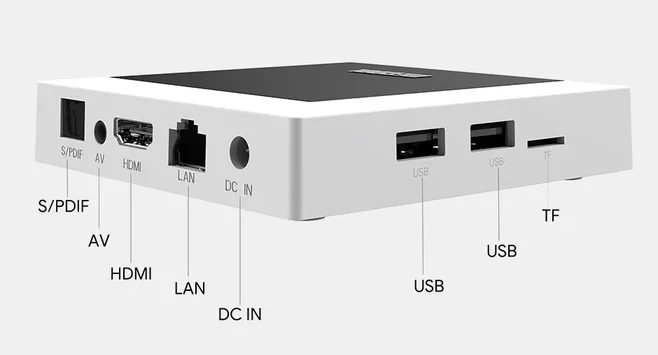
- Standard 100M Ethernet Port
- 2x USB 2.0 ports
- MicroSD slot
- Digital Optical port
- 3.5mm AV port
- Bluetooth 5.0
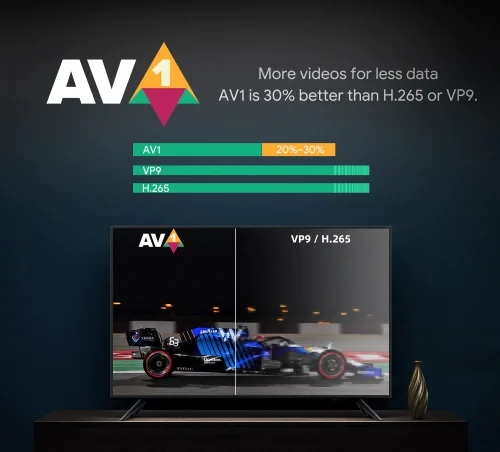
- AV1 Codec Support
- Chromecast Built-in
- Google Assistant
- Netflix 4K Certified
- Prime Video Certified
- Dolby ATMOS
Buy MECOOL KM7 Plus
Use coupon code TROYPOINT15 at checkout to save 15%
Hide Your Digital Fingerprint
Android Version: Is it AOSP or Google TV?
Google TV is the official operating system installed on the MECOOL KM7 Plus. It is fully certified. This is the exact same operating system that comes installed on the Chromecast with Google TV.
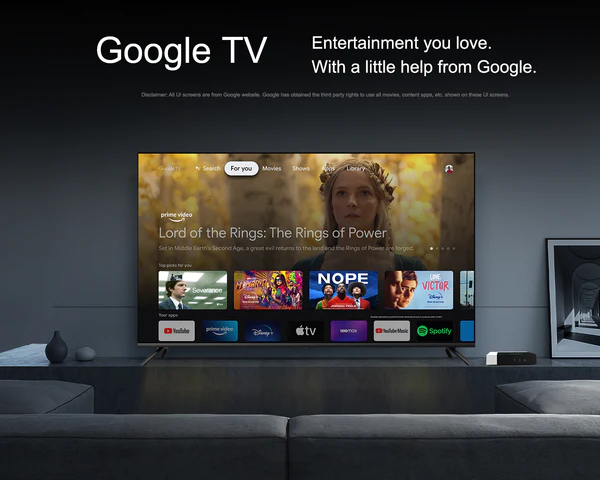
Google TV is essentially a heavily customized user interface that lays on top of the base Android TV 11 framework. While it looks modern, I’m personally not a huge fan of Google TV due to the numerous forced ads for streaming services, which makes menu transitions feel slower than standard Android TV. Google TV also consumes more space on your internal storage.
Is It Netflix Certified?
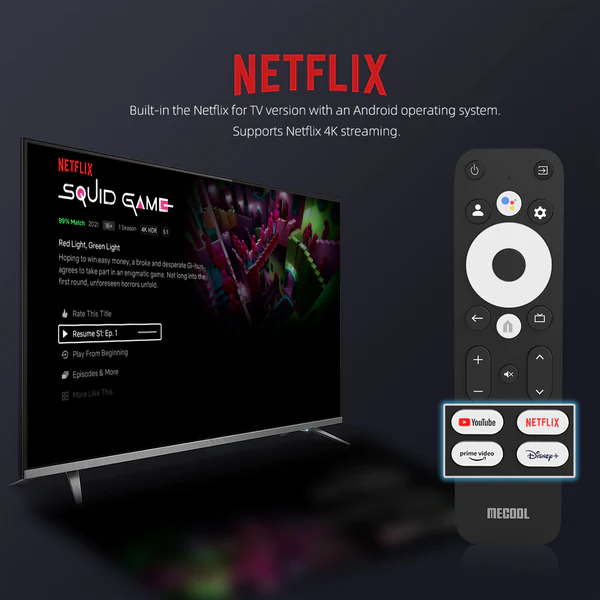
Yes. Both Netflix and Amazon Prime Video work exactly as expected. Because this is a fully certified device, you can stream 4K HD content natively through the official Netflix and Prime Video applications without any workarounds.
Does Side-Loading Work on the Device?
Yes, sideloading applications works perfectly on the new MECOOL KM7 Plus.
I easily installed the free Downloader App, enabled Developer Options, opened the TROYPOINT Toolbox, and installed Kodi, TiviMate, SmartTubeNext, and Unlinked. All of the sideloaded APKs performed as expected.
Do 3rd Party Launchers Work on the Device?
Yes. Thankfully, we can install 3rd party launchers such as Wolf Launcher to bypass the bloated Google TV interface and eliminate ads on the home screen.

Users must install Launcher Manager to get this working properly. Both Wolf Launcher and Launcher Manager are available directly inside the TROYPOINT Toolbox. I’m happy to report that the KM7 Plus supports this modification and Wolf Launcher works extremely well.
Exclusive Surfshark Discount
Warning: Your online activity is currently monitored by your ISP, app/addon/IPTV developers, government agencies, and the websites you visit.
- Become 100% anonymous while streaming and downloading.
- Use on Unlimited Devices & share 1 account with the entire family.
- Save 87% with the 24-Month Plan + Get 3 FREE Months.
Hardware Specs

- CPU: Amlogic S905Y4 Quad-Core A35
- GPU: ARM G31 MP2
- RAM: 2GB DDR4
- Storage: 16GB eMMC (Only ~9GB usable out of the box)
- Wi-Fi: 802.11 b/g/n/ac (2.4GHz/5GHz)
- Ethernet: 10/100M LAN
- Bluetooth: 5.0
Supported Audio/Video Formats
This device handles modern streaming codecs exceptionally well, but it does have a few limitations home theater enthusiasts should be aware of.
Supported Formats:
- Video: 4K @ 60fps, HDR10, HDR10+, HLG, and the highly efficient AV1 Codec.
- Audio: Dolby Digital, Dolby Digital Plus, and Dolby ATMOS passthrough.
What ISN’T Supported:
The MECOOL KM7 Plus does not support Dolby Vision. If you have a high-end OLED television and want Dolby Vision color grading, you will need to look at devices like the NVIDIA Shield or Fire TV Stick 4K Max.
What Comes in the Box?
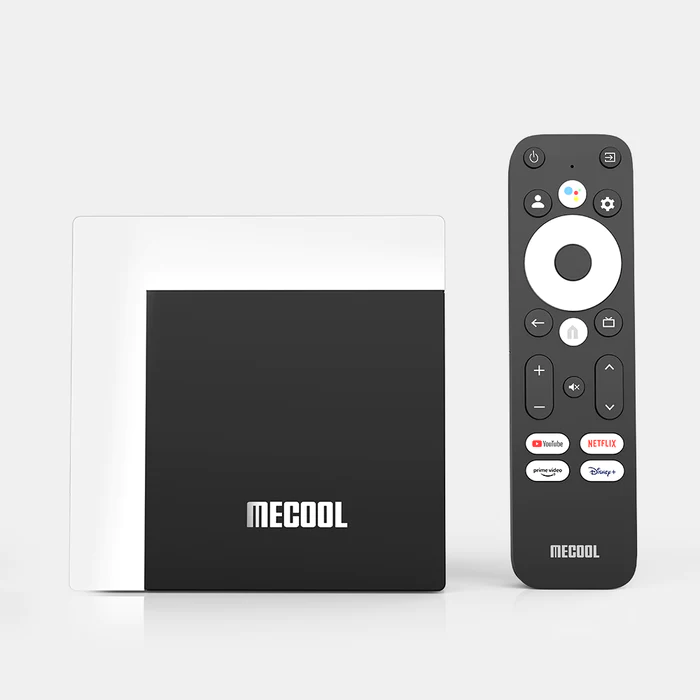
- MECOOL KM7 Plus Android TV Box
- Bluetooth Google Remote Control
- HDMI Cable
- Power Adapter (12V)
- User Manual
The Google Reference Remote
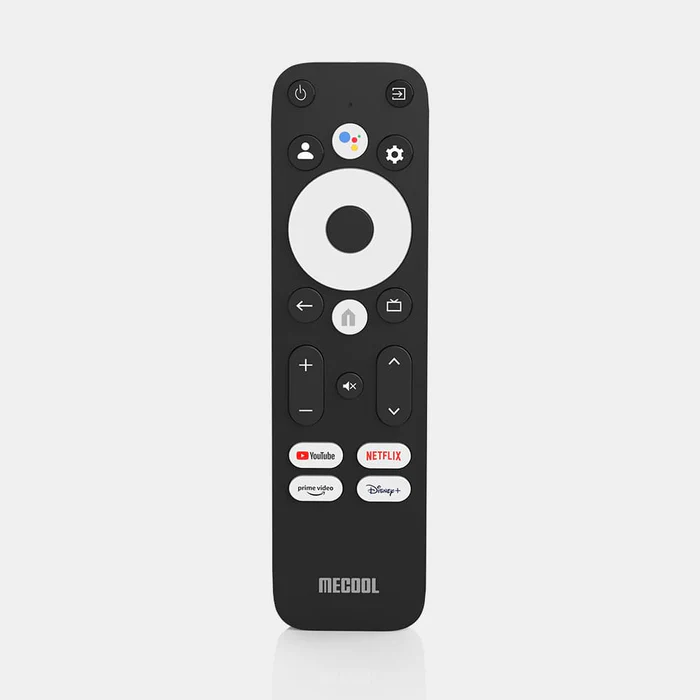
The device comes with the popular Bluetooth Google Remote Control. When I first booted the device, the remote was laggy. However, after a few minutes, I was prompted to install an OTA update for the remote, which fixed all the issues immediately.
The remote includes four shortcut buttons (YouTube, Netflix, Prime Video, and Disney+) and pairs nicely with televisions and soundbars to control power, volume, and input. Google Assistant voice search also works flawlessly. I like this remote a lot and wish all Android TV manufacturers would use it.
Storage & Expanding Internal Storage
The MECOOL KM7 Plus touts 16GB of internal storage. However, once Android TV 11, the Google TV UI, and essential system apps are accounted for, the remaining usable storage is only about 9GB. I really wish MECOOL included at least 32GB to alleviate this limitation.
Fortunately, the device supports expanding internal storage. We can instruct the device to use a USB drive or microSD card as integrated internal storage to install more applications.

Big Tech is Scanning Your Emails
Stop letting free providers read your private messages to build advertising profiles on you. Take back your digital privacy with a secure, ad-free inbox.
I tested this by using a 256GB SanDisk USB 3.0 drive, and it worked flawlessly, seamlessly moving applications to the external drive.

Download / Upload Speeds
I used the Analiti Speed test app for the following tests, connecting to the 5GHz band on my Asus router (with a 1 Gigabit Fiber connection). I ran these tests using Surfshark VPN connected to a Chicago server.
10/100 Ethernet Port Speeds:
- VPN On: Download = 91 Mbps & Upload = 86 Mbps
- VPN Off: Download = 95 Mbps & Upload = 86 Mbps
Wi-Fi Speeds:
- VPN On: Download = 123 Mbps & Upload = 76 Mbps
- VPN Off: Download = 342 Mbps & Upload = 326 Mbps
Note: The reason the Wi-Fi speeds are significantly faster than hardwiring is because the Ethernet port on this device is capped at 100 Mbps (Fast Ethernet, not Gigabit).
Regardless, the KM7 Plus provides screaming-fast Wi-Fi speeds. Keep in mind, you only need 20-30 Mbps to smoothly stream 4K video, so anything higher is just a bonus buffer.
Pros & Cons
What I Like
- Official Android TV 11 OS
- Netflix & Amazon Prime 4K Certified
- AV1 Codec support
- Low-power yet capable Amlogic CPU
- Includes 2 USB ports & MicroSD card slot
- Supports expanding internal storage natively
- Supports 3rd party custom launchers (Wolf Launcher)
- Excellent Google Reference Remote Control
- Google Assistant and Chromecast built-in
- Fast Wi-Fi download/upload speeds
What I Dislike
- The bloated Google TV UI layer
- Only 2GB of RAM
- Only 16GB of internal storage (~9GB usable)
- No USB 3.0 ports (only 2.0)
- No Gigabit Ethernet (capped at 100 Mbps)
- No Dolby Vision support
- Historically limited firmware updates from MECOOL
Final Thoughts & Rating
The MECOOL KM7 Plus is extremely snappy and responsive. I’ve had absolutely no problem streaming 4K video through official apps like Netflix or sideloaded apps like Kodi. I was expecting some lag due to the fact that it only comes with 2GB of RAM, but the S905Y4 processor handles the load surprisingly well.
That said, it is a good streaming device, but not a great one.
This Android TV Box will suit most casual cord-cutters, and many will find it a welcome upgrade from a standard Firestick. Many people will compare this directly to the Chromecast with Google TV because they run the exact same interface. I prefer the MECOOL KM7 Plus simply because it includes actual expansion ports (USB and MicroSD) that the Chromecast lacks out of the box.
All-in-all, this is a solid streaming device for the money, but MECOOL didn’t do a great job future-proofing it. I really wish they would have added an additional 16GB of storage and bumped the memory to 4GB of RAM.
Here’s my TROYPOINT ranking system for reviews:
Terrible – Bad – OK – Good – Great
Looking at the features offered, how well they work, and the price point, I rank the MECOOL KM7 Plus as Good.
Buy MECOOL KM7 Plus
Use coupon code TROYPOINT15 at checkout to save 15%
This page includes affiliate links where TROYPOINT may receive a commission at no extra cost to you. Many times, visitors will receive a discount due to the special arrangements made for our fans. Learn more on my Affiliate Disclaimer page.


I have been trying the KM2 box from MeCool. I had firesticks before and the firestick remote had a pause button and a fast forward button. I can’t figure out if the the MeCool has this capability and it’s not on the remote or they just don’t have it
I bought a Walmart ONN. box. Received it yesterday 1/26/24.
Loaded up all the apps. You suggested. Loaded up my ip vanish vpn.
& Real-debrid. A few hours ago on 1/27/24 I tried the speed test app.
from Wolf Launcher. A minute into it m I hear a funny noise from my tv.
And the screen goes to black.the. VPN. goes to green to red.
And the device would not return to the main screen.
I worked on it every possible for two hours.
And then authorized an exchange from Walmart.
I think you get what you pay for.
I’ve gor 3 fire sticks running with your instructions for the past 6 years.
What ya think???
Drive is safely ejected, no matter how many times I disconnect it and reinsert it into my Android TV box, format it in FAT, use the shell in Windows to clean then format fat32.
Can anyone help please? I have even unplugged everything and replugged, I even reset it. I would do a factory reset. But that’s a pain. And I don’t want to do that only to find out happens again or will happen again.
Any fix for this?
Hi Patrick, you will get better support on our Insider for things like this – https://troypointinsider.com
I have this box and have been evaluating it …I had no problem setting it up other than the SD slot it it will only recognize the 32gig card …I can move files to the card but it can’t read eg(play music) it doesn’t recognize it as an expansion either!!. I havent used the usb yet …also it could use more ram
I was tempted but bought another Android box with an S905X4 chip works great. I have to agree with Troy I wish they would have included an additional 2GB of ram and more built in storage. When they do that I will buy it but not until then. Thanks for the in-depth review as it looks very nice but the above keeps me away at the moment.
Hello Troy, I enjoyed your review. Is it possible to take your likes and dislikes and build a box with pc parts that’s better? And if so, how would you do it?
Hi Troy……. any further news on the situation of Amazons policy change to revert to deep linking adverts and the blocking of third party addons on their products