

This instructional guide will show you how to install Google Chrome APK on Firestick, Fire TV, and Android TV Box.
Google Chrome is the world’s most popular web browser and is available for use on tons of devices. Unfortunately, the Google Chrome APK is not featured within the Amazon App Store or Google Play for Android TV.
This means Firestick and Android TV users must sideload this application for use on their devices. Sideloading applications is possible after jailbreaking your Firestick or Fire TV.
Installing Google Chrome on your streaming device is a fabulous way to access Free Online Movie Streaming Sites and more. In the guide below, we are installing Google Chrome on a Firestick Lite.
However, these instructions will also work on any Firestick or Fire TV device as well as Android TV Boxes such as NVIDIA SHIELD, MECOOL, and more.
NOTE: Google Chrome may require Mouse Toggle for full navigation. You can easily install this on any device using our guides below:
How to Install Mouse Toggle on Firestick
How to Install Google Chrome on Firestick/Android TV
1. Install the Downloader app from your respective App Store (Amazon App Store or Google Play) and turn on Apps from Unknown Sources in the settings of your streaming device.
If you haven’t done this yet please refer to the following screenshot tutorial that demonstrates this simple process.
How to Install Downloader & Enable Unknown Sources
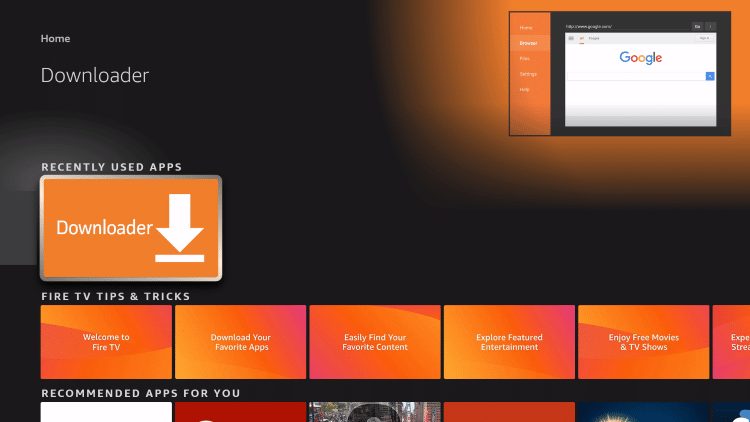
2. Launch Downloader.
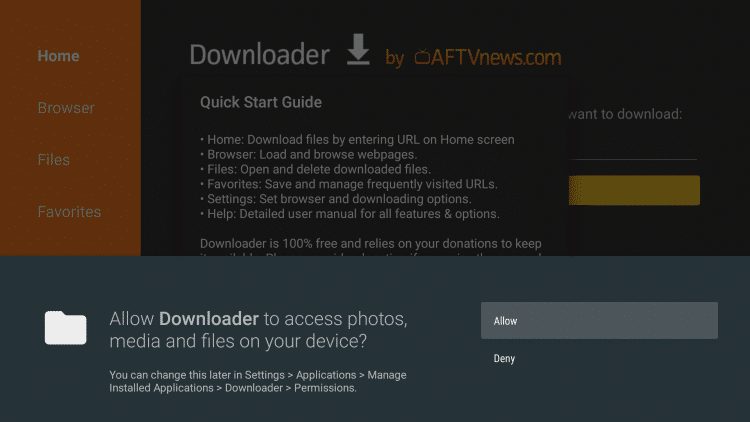
3. Click Allow.

Sick of Slow, Rural Internet?
Whether you live out in the country or take your RV off the grid, Starlink delivers blazing-fast internet to areas that traditional providers ignore.
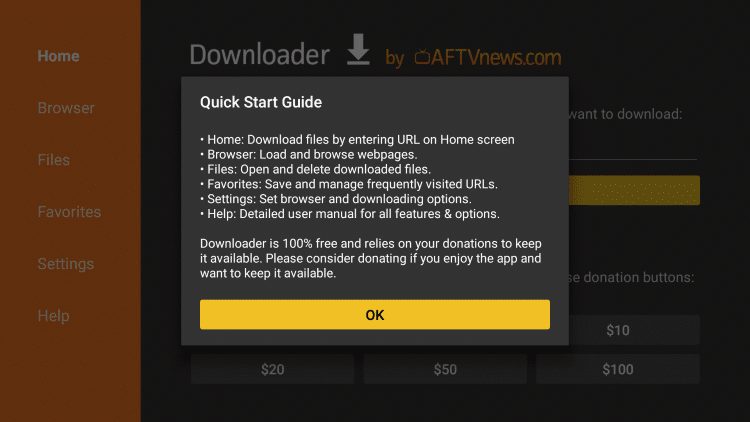
Check Availability & Pricing4. Click OK.
Exclusive Surfshark Discount
Warning: Your online activity is currently monitored by your ISP, app/addon/IPTV developers, government agencies, and the websites you visit.
- Become 100% anonymous while streaming and downloading.
- Use on Unlimited Devices & share 1 account with the entire family.
- Save 85% with the 24-Month Plan + Get 3 FREE Months.
5. Place your cursor in the URL box and click the OK button on your remote to open the keyboard.
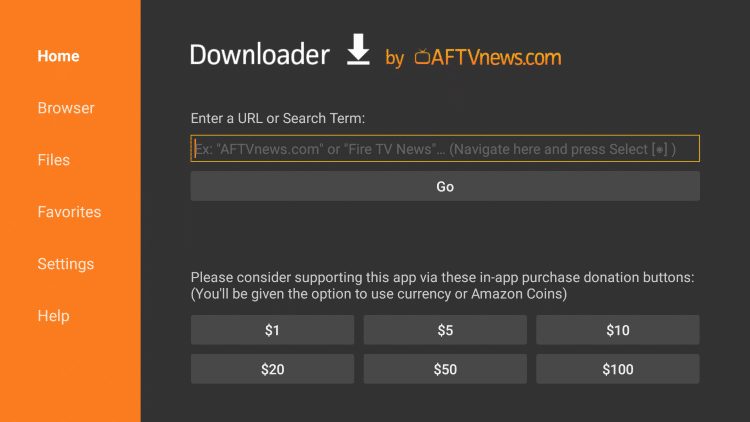
6. Type the following URL exactly as shown here: https://troypoint.com/gochrome and click Go.

7. Wait for the file to download.

8. Click Install.

9. Click Done.

10. This will take you back to the Downloader App. Click Delete.

Big Tech is Scanning Your Emails
Stop letting free providers read your private messages to build advertising profiles on you. Take back your digital privacy with a secure, ad-free inbox.
11. Click Delete again.

12. You can now launch the app for use. When prompted click Accept & continue (this will likely require mouse toggle or wireless keyboard/mouse combo)

13. You will now encounter the Google Chrome homepage.

Installation is complete. Enjoy!
NOTE: You may notice the icon for Google Chrome is missing when browsing through your installed applications on Firestick or Fire TV.
The best way to fix this is with a custom launcher that will eliminate this problem, remove ads, and more:
How to Install Wolf Launcher on Firestick
Leanback Launcher for Firestick/Android
Google Chrome on Firestick Details
Using Google Chrome on Firestick is a great way to browse your favorite websites directly on your TV. The Google Chrome APK has a simple interface and functions exactly as it would on a PC or another device.
Using a browser on Firestick or other streaming devices allows us to access popular websites including the options below.
Google Chrome APK on Firestick/Android is a great way to use the world’s most popular web browser on your preferred streaming device.
However, we suggest the Amazon Silk Browser on Firestick and Fire TV that is built to work specifically with these devices. For Android TV Users, we suggest one of the browser options listed below:
Best Browser for Android TV (TV Bro)
Be sure to stay up-to-date with the latest streaming news, reviews, tips, and more by following the TROYPOINT Advisor with updates weekly.
This Advisor provides all the best cord-cutting tips to get the most out of your favorite streaming devices and more.
Click the link below to join the other 800,000 Advisor subscribers.
Frequently Asked Questions
Can I install Google Chrome APK on Firestick?
Yes. Use this guide to install Google Chrome on Firestick or Fire TV.
Is Google Chrome available in the Amazon App Store?
No. Unfortunately, users must sideload the Google Chrome APK for use on Firestick and Fire TV.
Does this Browser work on Android TV?
Yes. This guide will provide you with installation instructions for Google Chrome APK on an Android TV device.
This page includes affiliate links where TROYPOINT may receive a commission at no extra cost to you. Many times, visitors will receive a discount due to the special arrangements made for our fans. Learn more on my Affiliate Disclaimer page.


