
This guide shows how to install IPVanish on Firestick and Fire TV devices in 2026.

IPVanish is one of the most popular VPN providers in the world among those using the Amazon Firestick, Fire TV, and Android TV devices.
This VPN is known for its blazing-fast speeds, unlimited device connections, no logs retention policy, and many other features that make it one of the best VPNs for Firestick users.
IPVanish provides an easy-to-use application for all Fire TV devices including the Amazon Firestick 4K Max, Fire TV Stick Lite, Fire TVs, Fire TV Cube, and older generations.
The reason it has become so prominent on these devices is due to the working “Kill Switch” Application that is compatible with Fire TV/Android TV.
Our guide shows how to install both the IPVanish VPN App as well as the Kill Switch Companion app on Firestick but this will also work for Android TV Boxes such as onn. 4K Pro, Google TV Streamer, and more.
Those using mobile phones/tablets can also follow along as there is a specific app for these devices as well.
IPVanish VPN on Firestick Video Tutorial
Hide Your Digital Fingerprint
Get Huge IPVanish VPN Discount
TROYPOINT VPN Rankings
How to Install IPVanish on Firestick (Screenshot Guide)
Below you will find a step-by-step screenshot guide for installing IPVanish on a Fire TV Stick 4K Max. However, this process works on any variation of Firestick/Fire TV and Smart Fire TVs as well as Android TV Boxes.
NOTE: Android phone/tablet users can also download the application using the guide below. Make sure to select the correct app for your corresponding device.
Step 1 – Install Downloader App & Turn on Unknown Apps
1. Register for an IPVanish account with a major discount by Clicking Here.
2. From the home screen, open the Search menu bar.

3. Type in Downloader.

Sick of Slow, Rural Internet?
Whether you live out in the country or take your RV off the grid, Starlink delivers blazing-fast internet to areas that traditional providers ignore.
Check Availability & Pricing
4. Choose the Downloader App from AFTVNews and install it.
Exclusive Surfshark Discount
Warning: Your online activity is currently monitored by your ISP, app/addon/IPTV developers, government agencies, and the websites you visit.
- Become 100% anonymous while streaming and downloading.
- Use on Unlimited Devices & share 1 account with the entire family.
- Save 85% with the 24-Month Plan + Get 3 FREE Months.

5. Open your device’s Settings and turn on “Unknown Apps” for Downloader as pictured below. This will allow us to install apps from Downloader.

Step 2 – Install IPVanish App
1. Launch the Downloader app that we previously installed.

2. Open the URL bar.

3. Input the Downloader Code 250931 to access the TROYPOINT Toolbox and click Go.

4. Wait as the redirect page loads.

5. Once in the TROYPOINT Toolbox, scroll down to find IPVanish and click TV App.
Big Tech is Scanning Your Emails
Stop letting free providers read your private messages to build advertising profiles on you. Take back your digital privacy with a secure, ad-free inbox.

6. Wait for the app to download.

7. Click Install.

8. Select Open.

9. Login with your IPVanish credentials.

10. After you are logged in, we suggest not connecting yet as we need to install the Kill Switch Companion App for added protection.

Step 3 – Install Kill Switch Companion App
The Kill Switch app is also available within the TROYPOINT Toolbox which can be downloaded as shown below.
1. Go back to the TROYPOINT Toolbox and under IPVanish, select Kill Switch.

2. Click Install.

3. Select Open.

4. Choose Continue.

5. Add your IPVanish username/password to log in and use the application.

6. After logging in click Accept and Continue to enable permissions.

7. Click OK when this Connection request message appears.

8. The IPVanish Kill Switch is ready to go.

9. If the Kill Switch isn’t working, click the Settings icon and select Re-request VPN permission.

10. Click the big button in the middle of your screen and the Kill Switch is now enabled.

11. Return back to your IPVanish VPN app and click Connect. We are now connected with the Kill Switch enabled.

Why Use IPVanish VPN on Firestick/Android?
Why would you want to use IPVanish on a Firestick or Android TV device? There are several reasons and this includes the features we highlight below.
We suggest visiting our IPVanish Review for a more in-depth analysis of this VPN.
Protect Yourself Online
One of the most important reasons to use IPVanish on Firestick and Android TV devices is to prevent app/addon developers, hackers, site operators, your Internet service provider (ISP), and others from monitoring what you are accessing online.
Running IPVanish on your Firestick will hide your online identity and create an anonymous connection through a masked IP address.
Fast Speeds

IPVanish claims to be one of the fastest VPN providers available. Using a fast VPN on Firestick is a must if you want to stream HD and 4K content without buffering.
A VPN like IPVanish may actually increase your streaming speeds at times because many Internet providers impose throttling methods for various streaming apps such as Kodi, Stremio, live TV services, etc.
Zero Logs

IPVanish also keeps a strict zero-log policy of your online activity. They claim to not keep any traffic logs of what you stream/download or access on the Internet.
More specifically, a “no-log” policy means IPVanish will not log browsing history, IP addresses, used bandwidth, connection timestamps, network traffic, and more. This has been verified independently by a third-party auditor.
Kill Switch Companion App
The latest and greatest feature to make note of is the functioning Kill Switch app that is available on streaming devices such as Firestick and Android TV/Google TV.
Using the Kill Switch is an effective way of ensuring your connection to the internet is always encrypted through a VPN Server.
This is because a Kill Switch will “kill” or terminate your internet connection if your VPN is disconnected for any reason. This is a unique feature that we strongly suggest taking full advantage of on any device.
Extensive Server Network
Another reason to use IPVanish VPN on your Firestick or Fire TV is due to the fact that they have extensive server options all over the world. This is perfect for those who are “geo-restricted” from accessing content in various countries
This is the best method to unblock various apps, addons, websites, and APKs that you might typically not be able to.
IPVanish has over 2,400 secure servers across 140 locations with over 40,000 different IP addresses.

Unlimited Devices
One of the best features of IPVanish VPN is the ability to use unlimited devices with only one account!
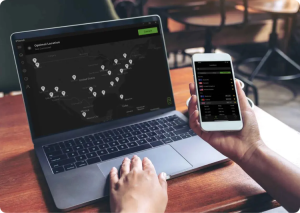
With over a dozen internet-connected devices always running in our household, having a VPN provider with unlimited connections is a major bonus.
IPVanish has applications available that can be installed on Firestick/Fire TV, Android, Windows, Mac, iOS, and Linux. One account can be used to protect all of these devices at the same time.
SOCKS5 Proxy

IPVanish’s SOCKS5 Proxy will enhance your overall online experience with advanced speeds for downloading files such as torrents.
In fact, it is the main reason that IPVanish is TROYPOINT’s selection as the Best VPN for Torrenting and we suggest it for those who frequently use this technology.
IPVanish Settings & Features
Note: If you don’t see some of these settings in your IPVanish app this means that you don’t have the most recent update. Make sure to use the TROYPOINT Toolbox as shown above which always has the latest version available.
To access features within IPVanish, click the gear icon at the bottom.

Notice the various features we can customize within the IPVanish app on Firestick/Android devices. We explain more in detail below.
Connect on Android Startup is a feature offered by IPVanish that will automatically launch the application when the Firestick or Fire TV is turned on.
I leave this off because there are some applications that I don’t use the VPN with.

LAN Access when turned on will not route local network traffic through the VPN.
I keep this turned on so that I can connect to the Firestick or Fire TV through the network with various apps such as Plex Media Server or Amazon Fire TV Remote control app.

Split Tunneling allows the VPN user to choose applications that can connect to the Internet without being routed through the encrypted VPN connection.

This is handy when using applications that don’t allow for VPN use such as Prime Video.

VPN Protocol is the connection protocol used by the application.

You will notice IPVanish has various VPN Protocol selections including WireGuard®, IKEv2, OpenVPN (UDP), OpenVPN (TCP), and more.
If your VPN app is not connecting, it may help to switch your connection protocol in this section.

Contact Support will direct you to the IPVanish support information. Terms of service provide their most recent document.

Lastly, to change VPN servers, return back to the home screen of the IPVanish VPN app and click the location icon at the bottom.

Then select whichever country you want to connect to. You can change to any of IPVanish’s 2,000 servers in 75 locations around the world.

How To Test IPVanish is Working On Firestick
After you have installed and activated a VPN on your Firestick or Android Box, you may wonder how you can test to ensure that the service is working properly.
Follow the quick steps below to test out your VPN connection.
1. Launch the IPVanish app on Firestick/Android and click Connect to activate a secure connection.

2. Install the Amazon Silk Browser for free on your Fire TV or Fire TV Stick through the Amazon App Store.
Note: For those using Android TV Box, we suggest the Puffin Browser.

3. Launch the Silk Browser and click the search bar on top.

4. Within the address bar of the browser, type the following address – dnsleaktest.com and click Go

5. That’s it! You can now see your IP Address has changed after connecting to IPVanish on your Firestick/Fire TV.

Final Notes from Troy
Making a VPN selection is a difficult task that we recommend researching thoroughly before coming to a conclusion.
Those of us who use streaming devices enjoy VPNs for their compatibility and usability that allow us to install and use various apps that we typically wouldn’t be able to.
IPVanish is still one of the best available for the reasons which we describe above and especially for those with Firestick/Android TV Boxes.
Do you use IPVanish on your Fire TV or Android device? Let us know in the comments below!
This page includes affiliate links where TROYPOINT may receive a commission at no extra cost to you. Many times, visitors will receive a discount due to the special arrangements made for our fans. Learn more on my Affiliate Disclaimer page.


