

The following tutorial will show you How To Install & Watch BBC iPlayer on Firestick and Fire TV.
BBC iPlayer is one of the most popular Streaming Apps available in the world today.
Users can install the app on tons of media devices including Firestick, Roku, Android TV Box, and more.
The Amazon Firestick is the most popular media device available today due to its low price point and “jailbreaking” abilities.
Jailbreak Your Firestick (or Fire TV) Device
Unfortunately for those located outside of the UK, BBC iPlayer is unavailable for installation through the Amazon App Store.
If you visit the Official BBC iPlayer website, you may encounter the following message:

If you live in the USA or any other country not supported by BBC iPlayer, we can still access the APK file on Firestick & Fire TV.
Hide Your Digital Fingerprint
To do so, we will sideload the application and connect to a VPN to evade location restrictions.
Using a VPN is a fabulous way to access content that is geo-blocked by various countries, Internet Service Providers, and more.
It will also connect you to an anonymous server so nobody can view or track your online activity.
Best VPN for Firestick/Fire TV
Because BBC iPlayer is only available to users in the United Kingdom, we must connect to a UK Server to access this app.
In the guide below, we are using a Fire TV Stick 4K Max.
However, this will work for any variation of Firestick as well as Android TV devices such as the NVIDIA SHIELD, MECOOL, and Chromecast with Google TV.

Sick of Slow, Rural Internet?
Whether you live out in the country or take your RV off the grid, Starlink delivers blazing-fast internet to areas that traditional providers ignore.
Check Availability & PricingIf you are looking for BBC America, you can find this within the Google Play Store.
BBC America – Google Play Store
Exclusive Surfshark Discount
Warning: Your online activity is currently monitored by your ISP, app/addon/IPTV developers, government agencies, and the websites you visit.
- Become 100% anonymous while streaming and downloading.
- Use on Unlimited Devices & share 1 account with the entire family.
- Save 85% with the 24-Month Plan + Get 3 FREE Months.
Follow the guide below to learn how to install & watch BBC iPlayer in the USA on Firestick and Fire TV.
How to Install & Watch BBC iPlayer on Firestick
In order to view content in the US within the BBC iPlayer App, you must first connect to a VPN and create an account.
1. Register for an IPVanish VPN account by clicking the link below. This exclusive link provides you with a hefty discount.
2. From the home screen hover over Find.
For those of you using Android TV devices, you can easily install the IPVanish app directly through Google Play Store.
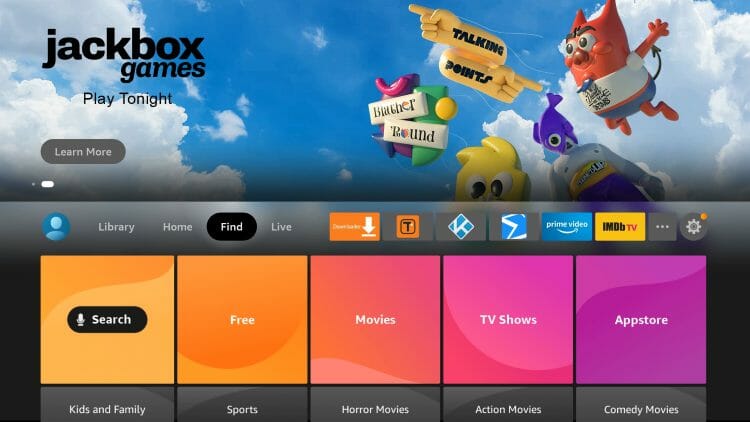
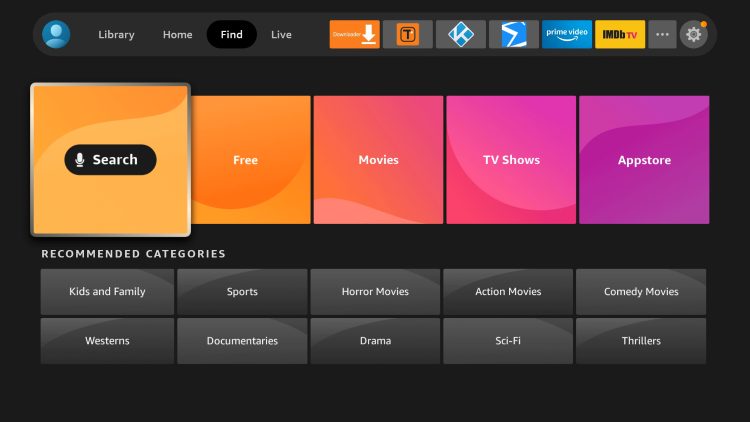
3. Scroll down and click Search.
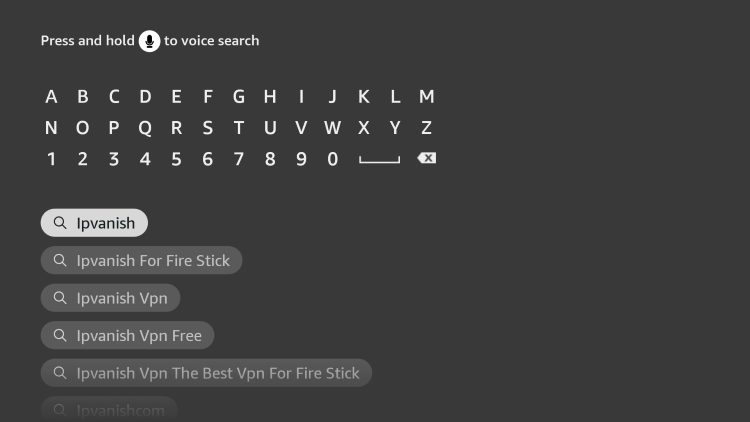
4. Type in “Ipvanish” and click the first option.
Big Tech is Scanning Your Emails
Stop letting free providers read your private messages to build advertising profiles on you. Take back your digital privacy with a secure, ad-free inbox.
5. Click the IPVanish VPN app.
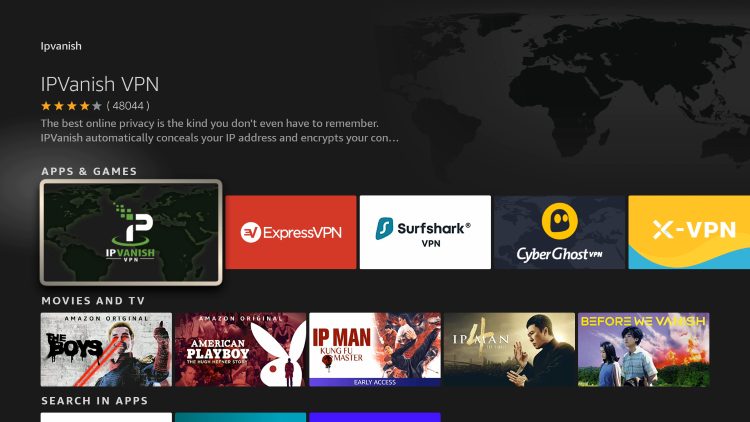
6. Click Download.
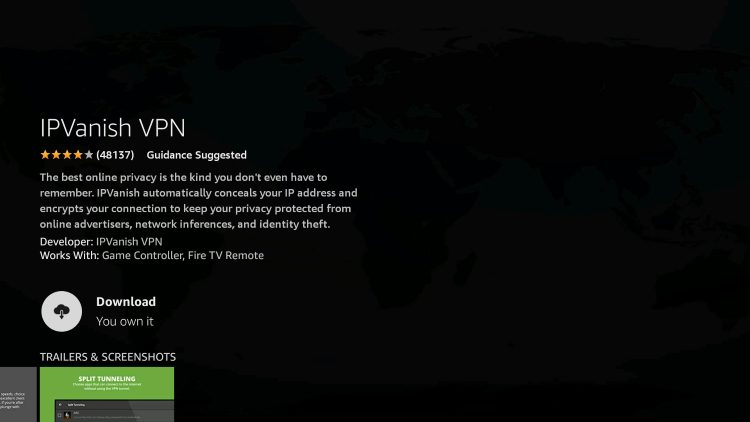
7. Once the IPVanish app installs, click Open.
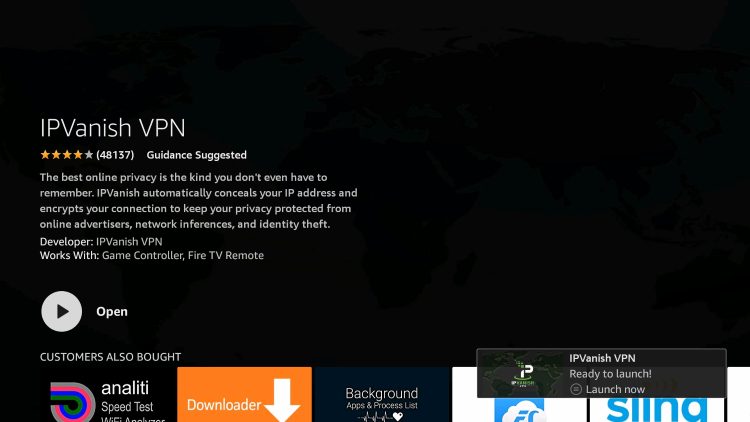
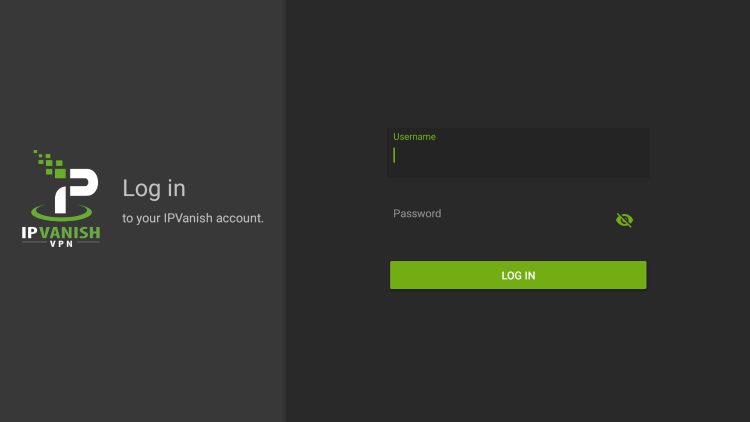
8. Enter your IPVanish account information and click Log In.
You will get your username and password when you register for an account.
9. Select a UK Server of your choice and click Connect.

With your VPN Connection successful, you can now register for a BBC account.
Use the link below to sign up for BBC iPlayer free account.
How to Install BBC iPlayer in the USA on Firestick
Keep your VPN connection and use the guide below to install BBC iPlayer on Firestick for use in the USA or any other location.
As stated above, we must sideload BBC iPlayer due to the geographic restrictions of this application.
1. Install the Downloader app from your respective App Store (Amazon App Store or Google Play) and enable Unknown Sources within the settings of your streaming device.
If you haven’t done this yet please refer to the following screenshot tutorial for step-by-step instructions.
Install Downloader & Enable Unknown Sources
2. Launch Downloader
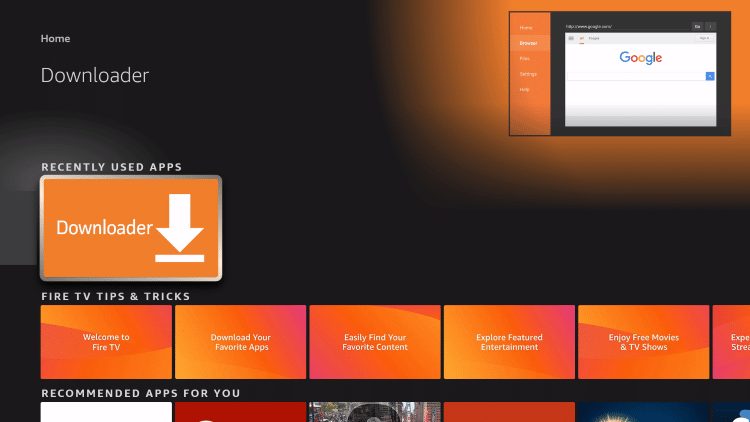
3. If prompted, click Allow
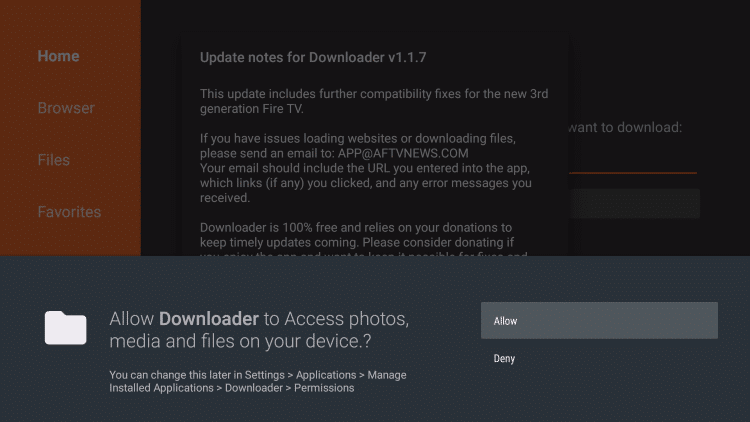
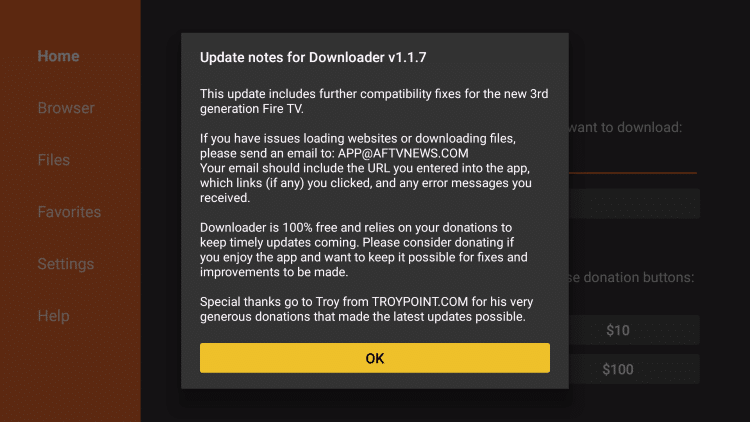
4. Click OK for developer notes
5. Click the URL bar and type troypoint.com/bbci then click Go.

6. Wait for the app to install.

7. Click Install.

8. You will then encounter “BBC iPlayer Ready to Launch” message.

9. Open BBC iPlayer.

10. Login with your account credentials or Register for an account if you don’t already have one.

That’s it! You can now access BBC iPlayer on Firestick and Fire TV for tons of streaming content.
BBC iPlayer Kodi Addon
Kodi users can also access BBC iPlayer with the official Kodi Addon that is available on any device including Firestick & Fire TV.
How to Install Kodi on Firestick
Follow the guide below to install BBC iPlayer Kodi addon on your preferred Kodi device.
1. Launch Kodi and click Settings.

2. Click Add-ons.

3. Choose Install from Repository.

4. Click Video Add-ons.

5. Find iPlayer WWW (This is the name for BBC iPlayer on Kodi) and select it.

6. Click Install.

7. Click OK.

8. Wait for the iPlayer WWW add-on installed message to appear.

9. Click to open the Kodi addon.

Enjoy!
BBC iPlayer Features & Details
BBC iPlayer features tons of free content including live channels, Movies, TV Shows, and much more.
Users can browse through various categories including Sports, Films, News, Comedy, Music, and even sort by location.
Fight fans will enjoy the ability to Watch Bellator MMA absolutely free with BBC iPlayer on their preferred streaming device.
You can also access BBC iPlayer via the official website on any browser including the Silk Browser and much more.
Overall, BBC iPlayer is a fabulous option for loads of content absolutely free on any device you prefer.
For more streaming options, check out our popular resource guides below:
Frequently Asked Questions
Is BBC iPlayer Free?
Yes. The app is free to use and install, however, you must create a BBC membership for use.
Can I install BBC iPlayer on Firestick?
Yes. The guide above shows you how to sideload BBC iPlayer on Firestick no matter your location.
Can I watch BBC iPlayer in the US?
Yes. With the use of a VPN, you can access BBC iPlayer in the US and other countries across the world.
What is BBC iPlayer?
BBC iPlayer is a UK-based streaming service that features Movies, TV Shows, Live Events, and more.
This page includes affiliate links where TROYPOINT may receive a commission at no extra cost to you. Many times, visitors will receive a discount due to the special arrangements made for our fans. Learn more on my Affiliate Disclaimer page.


403 error
work around geolocation restriction?
I followed the instructions and got an error message saying an unknown error has occurred. Check your URL and connection.
I did this and tried three more times. Does this still work or is there an update? Thanks!
download no longer working. is there an update to link to latest APK?
It downloaded fine. When the screen comes up to sign in or download, I can’t get it to move from Sign In to Register. If I click the remote more than twice to try, it goes to an Amazon Silk screen and freezes there. I’ve shut down the Firestick four different times trying it. It always ends on that Amazon Silk screen.
I followed the above direction, all went perfectly except all the content is empty??? I do have a vpn. What happened