
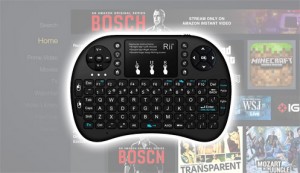
This article will show you how to pair a Bluetooth keyboard and mouse with an Amazon Fire TV or Stick. Why would we want to do this?
Because the Amazon Fire TV App store doesn’t contain all of the Android Applications that we would like to install onto the system.
Many of those applications aren’t optimized for a remote control so it is necessary to use a Bluetooth keyboard or mouse with the Fire TV / Stick in these scenarios.
Unlike Android TV Boxes, the Fire TV / Stick does not contain the Google Play Store so we must sideload the applications that aren’t available for us by default. Many of those will require a keyboard or mouse.
There are dozens of Android applications available today that provide high quality HD streaming of movies, tv shows, live sports, you name it.
These are the applications that many Fire TV / Stick owners are dreaming to install but first, we must connect a Bluetooth keyboard and/or mouse.
Below are the instructions that will take you through the necessary steps on how to pair a Bluetooth keyboard and mouse with an Amazon Fire TV / Stick.
This process is simple and will open doors to endless opportunities for your streaming device.
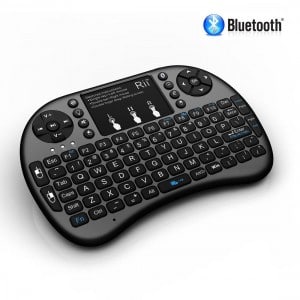
In this example, I will be using a Fire TV Stick and the Rii i8+ BT Mini Wireless Bluetooth Backlight Touchpad Keyboard with Mouse. The Rii i8+ is my favorite Bluetooth wireless keyboard/mouse combo and it works great with the Fire TV/Stick and Kodi.
Hide Your Digital Fingerprint
Steps To Pair A Bluetooth Keyboard and Mouse With A Fire TV/Stick
- Go into Settings tab on you Fire TV or Stick and click “Controllers and Bluetooth Devices
- Click “Other Bluetooth Devices” and then click “Add Bluetooth Devices”
- Place your keyboard or mouse in pairing mode by pushing the button that activates this function.
- The Amazon Fire TV Bluetooth tool will scan for Bluetooth devices and connect your Keyboard or mouse once it is detected.
- Test that your buttons work on your Keyboard or mouse.
- Start using Android applications such as Google Chrome Browser with your Bluetooth keyboard or mouse.
I strongly recommend that you use the Rii i8+ BT Mini Wireless Bluetooth Backlight Touchpad Keyboard with Mouse as this is the best Bluetooth keyboard mouse combo that I have found for the Fire TV or Fire TV Stick.
Please use the comment section below and share which Android applications that you use on a regular basis that requires a keyboard and/or mouse.
This page includes affiliate links where TROYPOINT may receive a commission at no extra cost to you. Many times, visitors will receive a discount due to the special arrangements made for our fans. Learn more on my Affiliate Disclaimer page.


tivimate application on firestick.
Entering lengthy URLS. Also, in tivimate microphone input of terms does not work. Firstick remote microphone button just starts speech and exits immediately
As nice as tivimate is (top recommended player), support/help really stinks.